
Your videos.
Both languages.


Any format
MKV, MP4, AVI, TS — HEVC, AC3 and DTS included.
Bilingual subtitles
Subtitles appear as you watch, original and translation together.
Web video
Use the WatchTranslate browser extension.
How to open the portable version
- Right-click the zip and choose “Extract All”.
- Double-click watchtranslate_app.exe in the folder.
- If “Windows protected your PC” appears, click “More info” → “Run anyway”. This only appears the first time.
- Sign in with your WatchTranslate account.
The portable version does not update automatically. Return here to download new versions.
Advanced: file verification
Use the SHA-256 checksum to verify the download.
- SHA-256
e3f2b00369f31355292c3f857d2d42e5 a0630b920c13d225 0787dfbdec707c07
Any format
MKV, MP4, AVI, TS — HEVC, AC3 and DTS included.
Bilingual subtitles
Subtitles appear as you watch, original and translation together.
Web video
Use the WatchTranslate browser extension.
Installation steps
- Open the downloaded dmg file.
- Drag WatchTranslate into the Applications folder.
- The first time you open it, if macOS asks about an app downloaded from the internet, click “Open”.
- Sign in with your WatchTranslate account.
Notarized by Apple. The app tells you when a new version is out, or download it here.
Advanced: file verification
Use the SHA-256 checksum to verify the download.
- SHA-256
90bd0184c147fff06a67dca3a8cc2912 cb2d3690ea4ee9a1 70c5db8beae8b765
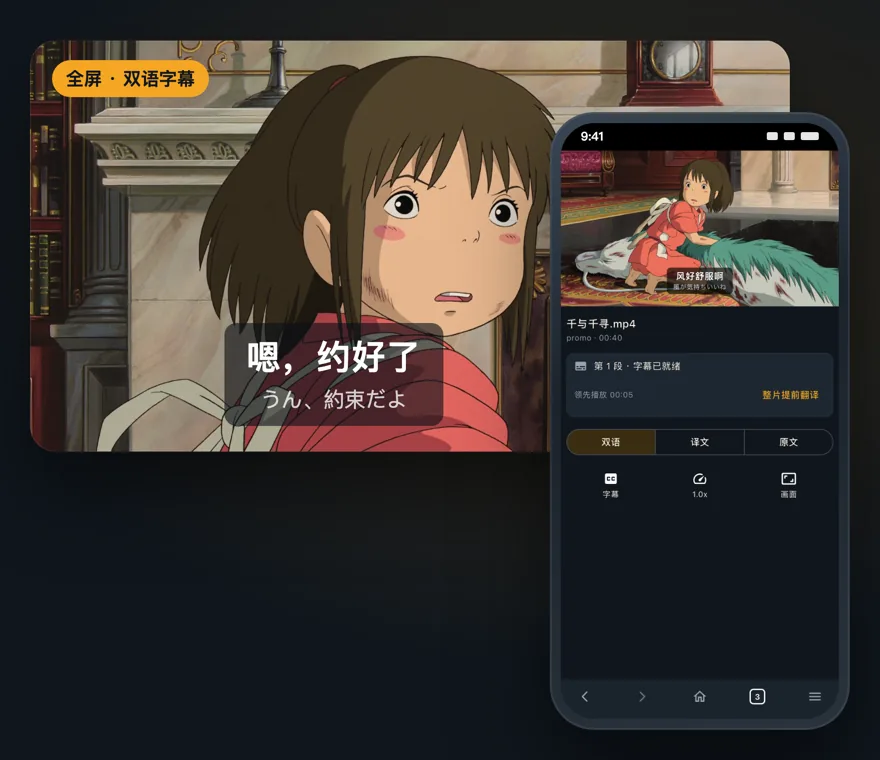

Local videos
Open a video file on your phone and translate it.
Web video
Open a video site in the built-in browser and tap Translate.
Prepare full video subtitles
Translate a full video first, then jump anywhere.
Installation steps
- Open the APK file after it downloads.
- If Android says it can't install unknown apps, allow your browser to install apps. You only need to do this once; it's normal for apps installed outside Google Play.
- Open the app and sign in with your WatchTranslate account.
The app tells you when an update is out. You can also download the new version here and install it over the old one; your sign-in and favorites stay.
Downloaded directly from our website; not yet on Google Play. This is a beta and may still have issues.
Advanced: file verification
Use the SHA-256 checksum to verify the download.
- SHA-256
f973d3a35489cec857e8cdbdf37bc6f8 e3387b4d5b022c82 ad29c54a3deaa987 - Signing certificate
0F:12: 7E: C8: 03: 18: 18: EC: D2: 6C: 6D: 39: 34: 20: 1A: 91: 97: B0: DB: 98: B8: EF: CF: 73: 94: 46: D7: D7: 96: DD: 46: 8E

One account: share your account and points across the website, extension and all apps.
Buying: get points and subscriptions on the website; the iPhone app also offers Apple subscriptions.
Need help? Email support@watchtranslate.com.