
Bilibili video translator English lines on Chinese videos
The menus are Chinese, the bullet comments are Chinese, and so is the narration. WatchTranslate listens to the video and writes English onto the Bilibili player, sentence by sentence.
Watch on your phone
Scan to get the app


Great Chinese videos, zero English on screen
Bilibili is built for Chinese viewers. Signed out, its subtitle menu just says 登录可享 ("sign in to use"), and the player has no translate option.
- Mandarin narration you follow only through the pictures
- Bullet comments and menus in Chinese too
- A subtitle menu that asks you to sign in first
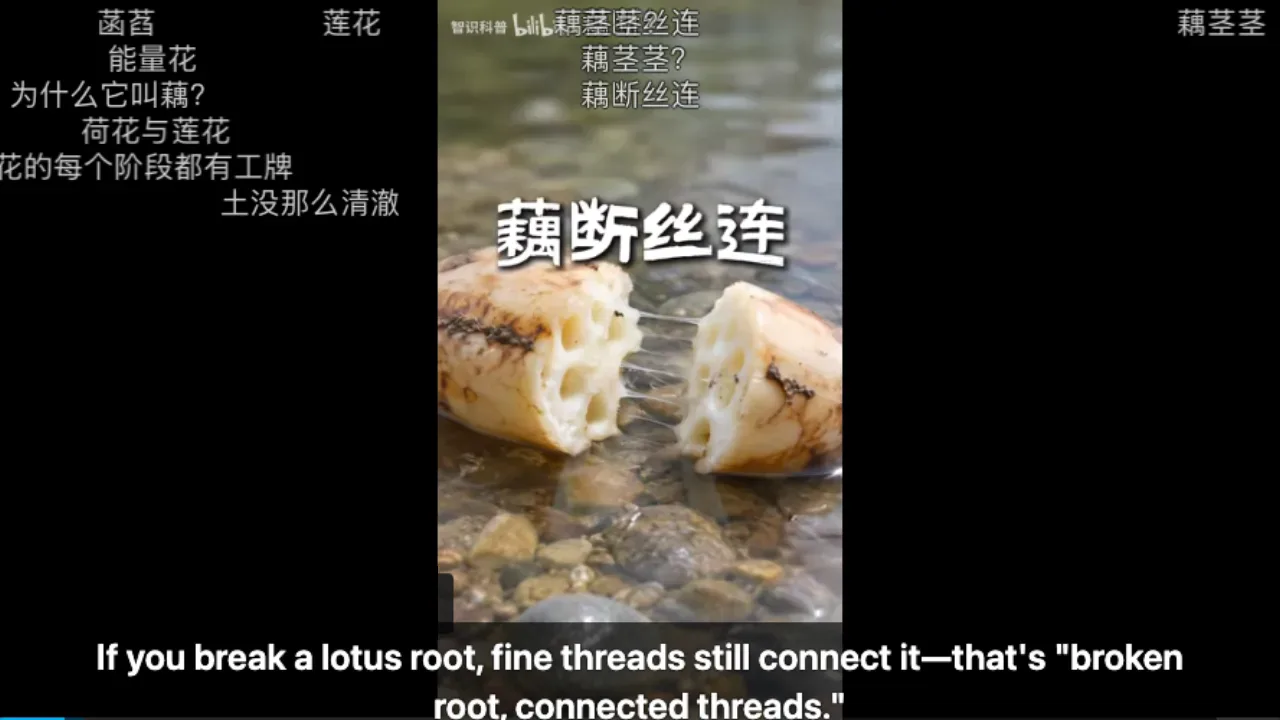
- Each spoken sentence in English, in time with the video
- Bilingual by default; hide the Chinese line in the Appearance tab if you prefer
- No Bilibili account needed
English subtitles on Bilibili in three steps
Install the extension
Add WatchTranslate to Chrome or Edge on your computer. It takes about thirty seconds.
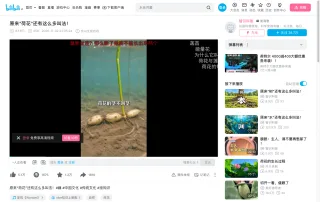
Open the video on Bilibili
No Bilibili sign-up. Close the 登录 sign-in banner if it pops up and press play.
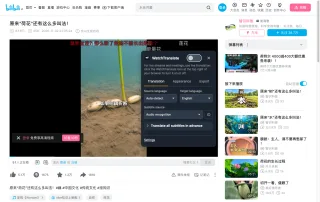 WTIf you break a lotus root
Turn on WT
Click WT on the player, set Target language to English and flip the switch.
Made for the Chinese side of the internet
Listens to Mandarin narration
Set Subtitle source to Audio recognition: the Chinese speech is transcribed, then translated into English.
English with the characters
Subtitles are bilingual by default, so the Chinese line sits with the English, handy for idioms and puns. Prefer English only? Turn the original off in the Appearance tab.
Long replays, ready ahead
Open "Translate all subtitles in advance" and the rest of a documentary or stream replay is prepared while you watch.
Multi-part uploads and collections
Ordinary uploads, av-number links, multi-part videos, playlists, and the bangumi you can already play.
Uploader subtitles, when you sign in
Signed in to Bilibili on a video with an uploader's subtitle track, WatchTranslate can translate that track directly.
Take the subtitles with you
The Export tab saves SRT or VTT files for flashcards, notes or another player.
What English speakers watch on Bilibili
Mandarin practice beyond HSK
Native-speed narration from real creators, with the characters shown alongside by default.
Donghua
Chinese animated series and shorts in the original Mandarin voice cast.
Game guides from Chinese players
Walkthroughs and patch breakdowns for games popular in China, prepared before you play.
Pop-science explainers
Short animated lessons on plants, history and engineering from Chinese knowledge channels.
City walks and food
Street food, train rides and neighbourhood walks narrated by people who live there.
Chinese tech reviews
Phones and gadgets from Chinese brands, reviewed by Chinese creators.
Are Bilibili's own subtitles enough?
Bilibili's subtitle menu is designed for Chinese readers. Here is how the common cases look for an English speaker.
| The video you're watching | What the Bilibili player offers | With WatchTranslate |
|---|---|---|
| Uploader or AI subtitles exist | Signed out, the subtitle menu shows only 登录可享; what language a track is in depends on the video | Signed out: English from the audio. Signed in: the uploader's track can be translated |
| No subtitle track at all | The Chinese soundtrack only | Transcribes the Mandarin and translates it as the video plays |
| Hours-long replays and multi-part series | Same as above, part by part | Each part gets its own subtitles, and a whole part can be prepared in advance |
The Bilibili column reflects the bilibili.com web player's subtitle menu on November 8, 2026, signed out. Check Bilibili's current page.
What we tried on Bilibili
On a computer with the current extension, signed out of Bilibili: open the video and click WT on the player.
- Works
Chinese pop-science short about lotus plants · English subtitles
Audio recognition turned the Mandarin narration into English, one sentence at a time.
- Works
Part 2 of a 7-part English travel series, translated into Chinese · November 8 test
We opened the second part directly and clicked WT; the subtitles followed that part's own audio.
Tested November 9, 2026 · extension 0.5.737 · Chrome · signed out of Bilibili
Watch on your phone
Scan to get the app
Spend your 20 free minutes on the Bilibili video you have been watching without understanding.
In detail
What to do for each kind of Bilibili video
| The Bilibili video | What to do | Worth knowing |
|---|---|---|
| Explainer or vlog whose subtitle menu shows 登录可享 | Subtitle source: Audio recognition; Target language: English | Subtitles start a few seconds after you switch it on |
| One part of a multi-part upload | Open that part's own page, then click WT | Subtitles follow the part you opened |
| A stream replay of an hour or more | Use "Translate all subtitles in advance" and start from the top | You can keep watching while the rest is prepared |
How WatchTranslate makes the subtitles
Where does the English come from on a video with no subtitles?
WatchTranslate works through the playing video in short stretches: it recognizes the Mandarin in each stretch, then translates it into English. The current stretch and the next one come first, so subtitles keep pace with playback.
Why do names and terms stay consistent?
Each sentence is translated with the lines around it in view, so a plant name or a game term keeps the same English wording through the video.
Why do some videos show subtitles straight away?
Results are kept per video and target language. If someone already translated the same Bilibili video into English, those subtitles are reused.
Get the most out of it
Start with one clear narrator
Explainers and vlogs with one main voice give the cleanest English lines.
Keep the characters for study
When you are practising Mandarin, leave the default bilingual view on and export the SRT afterwards.
Long replays: prepare first
Start "Translate all subtitles in advance" before a long replay, then skip around freely.
Bilibili video translator questions
How do I get English subtitles on Bilibili?
Install WatchTranslate in Chrome or Edge, open the video on bilibili.com, click WT on the player, set Target language to English and switch it on. English lines appear as the video plays.
How do I watch Bilibili in English?
The site menus stay in Chinese, but what people say shows up in English on the player. The WatchTranslate panel has English labels.
Is there a Bilibili video translator that works right on the page?
Yes. WatchTranslate runs on top of the bilibili.com player, so there are no video files to download or upload.
Is there a Bilibili translate extension for Chrome?
Yes, WatchTranslate is a Chrome and Edge extension. After installing it, a WT button appears on the Bilibili player.
Do I need a Bilibili account?
No. We tested signed out of Bilibili, using audio recognition. If you do sign in and the uploader added a subtitle track, that track can be translated too. A free WatchTranslate account holds your free minutes.
The video has no subtitles at all. Does it still work?
Yes. That is what Audio recognition is for: WatchTranslate builds subtitles from the Mandarin audio.
Is it useful for learning Mandarin?
Many learners use it that way: subtitles show the characters with the English by default, and you can export SRT or VTT to review later.
What about multi-part uploads and bangumi?
Open the part you want and click WT; subtitles follow that part. Bangumi and films you can already play on Bilibili work the same way.
Can I use it on my phone?
On Android, install the WatchTranslate app, open the Bilibili video inside the app and tap Translate.
How much is free?
New accounts get 20 free minutes, no card needed.
Is WatchTranslate part of Bilibili?
No. It is an independent extension and app that shows subtitles over the Bilibili player without changing the video.
Keep reading
Related guides
- Translate Bilibili videos, step by stepFull walkthrough
- Bilingual subtitlesTwo languages at once
Other Chinese sites
Chinese content
- English subtitles for Chinese videosVlogs, talks, variety
- Chinese short dramasVertical mini-series
More: Supported sites · All guides
Bilibili and the bilibili logo belong to their owner. WatchTranslate is not affiliated with Bilibili.