
GTA 6 subtitles in English for any stream, live or recorded
Japanese, Korean, Spanish and Chinese streamers are playing GTA 6 too. WatchTranslate puts English subtitles on their videos, with the original line underneath: YouTube recordings, and Twitch streams as they happen.
Watch on your phone
Scan to get the app


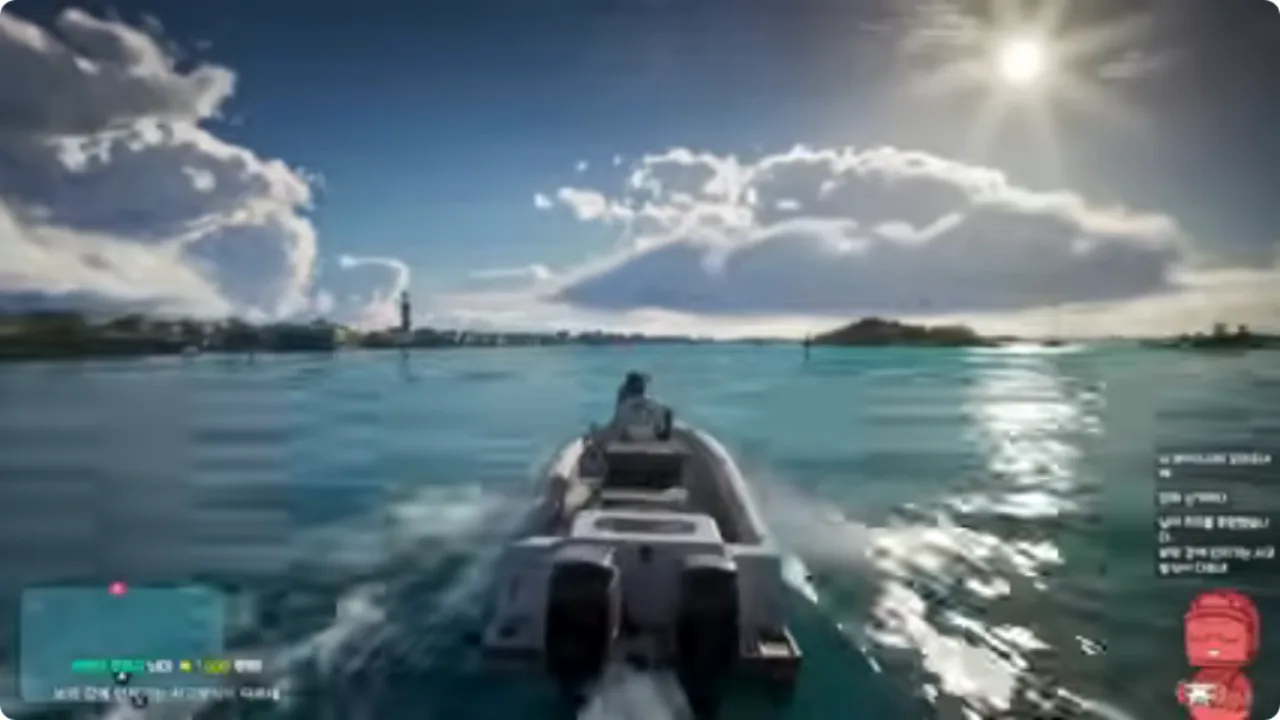
GTA 6 is out, and half the streams aren't in English
On release day the Grand Theft Auto VI category on Twitch had streamers in Japanese, Spanish, German, Russian, French and Chinese, and YouTube filled up with hours-long first playthroughs in every language. Auto-generated captions, when a video has them, stay in the streamer's language.
- The streamer's jokes and reactions are lost
- Auto-generated captions are in Korean
- Hours-long playthroughs nobody will subtitle
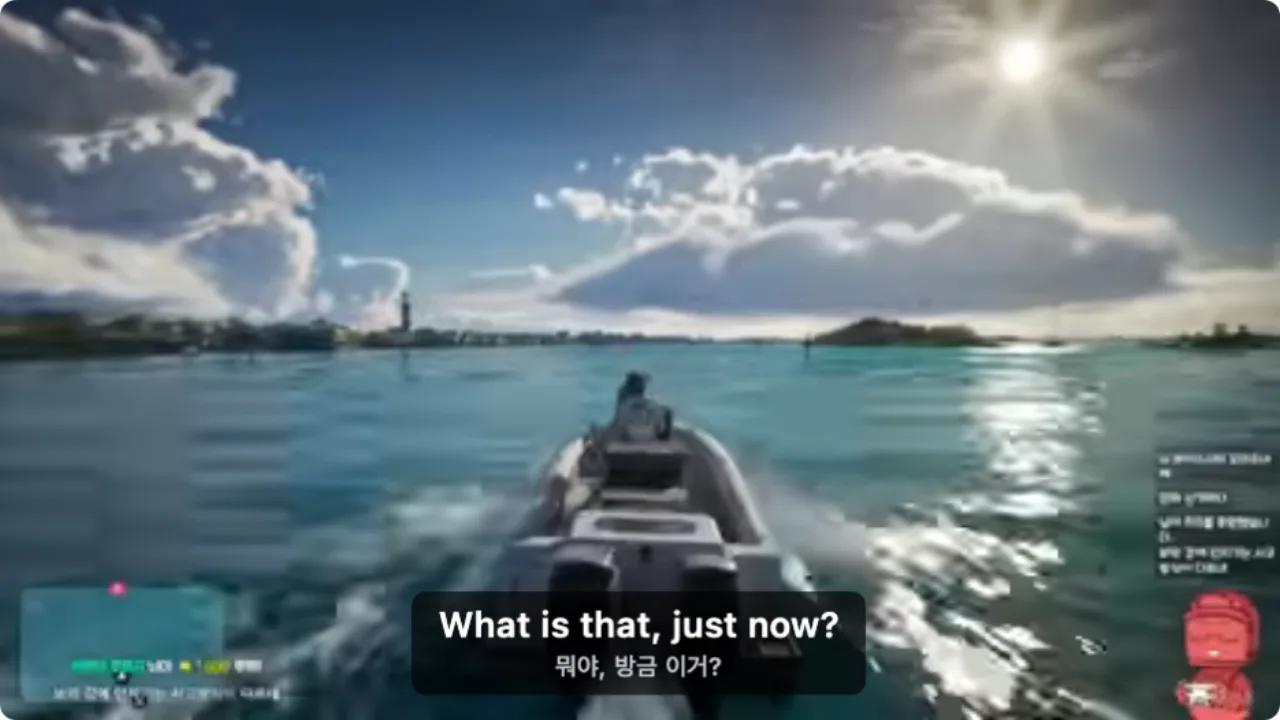
- English on screen while the streamer talks
- The Korean line stays underneath
- Works on the whole video, from wherever you start
English subtitles on a GTA 6 stream in three steps
Install the extension
Add WatchTranslate to Chrome or Edge on your computer. It takes half a minute.
Open the stream or the video
A recorded let's play on YouTube, or a live stream or past broadcast on Twitch or YouTube. Turn the sound on.
 WTWhat is that, just now?
Switch it on
On a YouTube video, click WT in the player and set Target language to English. On a live stream, click the WatchTranslate icon and choose Live translation.
Get the WatchTranslate app
Free to download on Android and iPhone. Then open it.
Open youtube.com in the app
On the app's home screen, type youtube.com into “Search or enter address” and play a video.
Tap “Translate”
The button shows at the bottom of the screen while the video plays. Subtitles then follow the video as you watch.
Made for long streams with a lot of talking
Live on Twitch and YouTube
Live translation (Beta) follows a stream as it happens: it listens to the tab and shows the speech in English a few seconds after it is said.
No captions? It listens
Most streams have no captions at all. WatchTranslate transcribes the streamer and the game's voice lines, then translates them.
Uses YouTube's captions when there are some
When a let's play has Japanese or Korean auto-captions, those are translated directly and keep their timing.
English on top, original below
Keep the streamer's own words on screen, which helps when you are learning the language.
Jump into a ten-hour VOD
Skip to the mission you care about and the subtitles start from there.
Any language into English
Japanese, Korean, Chinese, Spanish, German, Portuguese and many more: leave Source language on Auto-detect.
GTA 6 videos people watch with WatchTranslate
Japanese let's plays
Long first playthroughs from Japanese YouTubers, with the commentary in English.
Korean full-game streams
Day-one marathons from Korean streamers, uploaded as full recordings.
Twitch streams, live
A streamer you like is live in Spanish or Japanese right now: switch on Live translation and follow along.
Twitch past broadcasts
Catch up on last night's stream from the start or from any timestamp.
Chinese and Taiwanese streams
Casual, chatty playthroughs where the jokes are the point.
Spanish-language gameplay
Streams from Spain and Latin America, with slang kept in the original line.
What the platforms give you
If a creator uploaded English subtitles, use those. WatchTranslate is for the rest.
| The GTA 6 video you're watching | What the platform offers | With WatchTranslate |
|---|---|---|
| A YouTube let's play with auto-captions in Japanese or Korean | Auto-translate shows one language at a time | English and the original together, line by line |
| A YouTube recording with no captions | Nothing to turn on | Transcribes the audio and translates it |
| A Twitch live stream | No built-in translation | Live translation into English as it happens |
| A Twitch past broadcast | No built-in translation | Live translation from wherever you start |
The platform column reflects youtube.com and twitch.tv in a desktop browser on November 19, 2026, signed out.
What we tried
On November 19, 2026, GTA 6 release day, on a computer with the current extension, signed out of YouTube and Twitch: open the stream or video, switch WatchTranslate on, and time the first English line.
- Works
Japanese let's play on YouTube · first English line in 7.5 seconds
The streamer's Japanese and the game's own voice lines both came out as English subtitles.
- Works
Korean and Chinese recordings on YouTube · 8.8 and 6.3 seconds
The Korean video used YouTube's Korean auto-captions; the Chinese one had no captions and was transcribed from the audio.
- Works
Twitch replay in 5.8 seconds, and YouTube Live
With Live translation on a Japanese streamer's past broadcast on Twitch (5.8 seconds to the first line with words) and on two YouTube live broadcasts. On the replay and on a Japanese YouTube broadcast the streamers' Japanese came out in English, along with the game's own voice lines.
Tested November 19, 2026 · extension 0.5.873 · Chrome · signed out of YouTube and Twitch
Watch on your phone
Scan to get the app
Use your 20 free minutes on the GTA 6 let's play you've been meaning to watch. For live streams, switch on Live translation (Beta).
In detail
Which mode for which GTA 6 video
| The video | What to do | Good to know |
|---|---|---|
| A recorded let's play on YouTube | Click WT in the player, Target language English | Uses YouTube's captions when there are some, the audio when there aren't |
| A stream that is live right now | Click the WatchTranslate icon and choose Live translation | Billed per second while it runs |
| A Twitch past broadcast | Live translation, from the moment you want | Turn the video's sound on; it translates what plays |
| A ten-hour recording | Jump to the part you want first | Subtitles start at the point you jump to |
How it works
What does it translate?
Speech: the streamer's commentary and the characters' voice lines, plus a video's caption track when it has one. It works from what you hear, so the stream's own text overlays and the game's menus stay as they are.
How fast is live translation?
In our release-day tests on Twitch, the first line with words appeared about 6 to 7 seconds after we switched it on (longer when nobody was talking yet), and each sentence followed a few seconds after it was spoken.
Why do some recordings show subtitles straight away?
If someone has already translated the same video into English, WatchTranslate reuses that result and shows it right away.
Getting the best results
Turn the stream's sound on
Live translation listens to the tab, so a muted player gives it nothing to translate.
Keep the original line on
Streamers talk over game dialogue; the original line shows what was actually said.
Move the subtitles off the facecam
Drag the live subtitles, or use Floating window to move them outside the page.
GTA 6 stream translation questions
How do I watch a Japanese GTA 6 stream with English subtitles?
Install WatchTranslate in Chrome or Edge. On a YouTube recording, click WT in the player and set Target language to English. On a live stream, click the WatchTranslate icon in the toolbar and choose Live translation.
Does it work on Twitch?
Yes. We tested a Japanese streamer's GTA 6 broadcast on twitch.tv, live and as a past broadcast, signed out. On the replay the first line with words came about 6 seconds after switching it on, and the streamer's Japanese came out in English.
Can it translate a YouTube live stream?
Yes, with Live translation. We tested two GTA 6 launch-day broadcasts on YouTube Live; on the Japanese one, the hosts' Japanese came out in English.
The video has no subtitles at all. What then?
On a recording, set Subtitle source to Audio recognition. On a live stream, Live translation always works from the audio.
Will it translate the streamer and the game at the same time?
It translates the speech it hears: in our tests both the streamer's commentary and the characters' lines came through in the subtitles.
Which languages work?
Japanese, Korean, Chinese, Spanish, German, Portuguese, Russian and many more. Leave Source language on Auto-detect and set Target language to English.
Do I need a Twitch or YouTube account?
No. We tested signed out of both. You do need a free WatchTranslate account, which holds your free minutes.
Is there an app for my phone?
Yes, for recorded videos: the WatchTranslate app on Android and iPhone translates YouTube in its built-in browser and video files on your phone. Live translation of streams is on the computer, in Chrome or Edge.
How much is free?
New accounts get 20 free minutes for video translation, no card needed. Live translation is billed per second.
Keep reading
Live streams
- Live translationStreams, classes and meetings
- Translate gaming streams
- Twitch translator
Where GTA 6 streams live
Related questions
- YouTube video has no subtitlesCreate them from the audio
- Translate a video while watching
More: Supported sites · All guides
Also in: 简体中文 · 日本語 · Español · Deutsch · Français · Português · Türkçe · Русский