
How do I translate a Turkish series on YouTube?
Many official channels post full episodes with Turkish audio and no English subtitles, and episodes can run over two hours. Add WatchTranslate, click WT on the episode and choose audio recognition: English appears over the Turkish line as the episode plays.
Watch on your phone
Scan to get the app


Three steps to English on a Turkish episode
Add the extension
Chrome or Edge on a computer, then sign in to WatchTranslate. No YouTube sign-in needed.
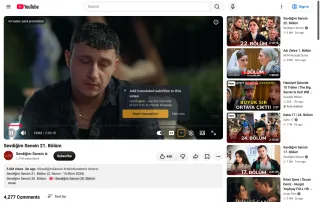
Open the episode on the official channel
Play it on youtube.com. First check the CC menu: if English is listed, YouTube's own track is enough.
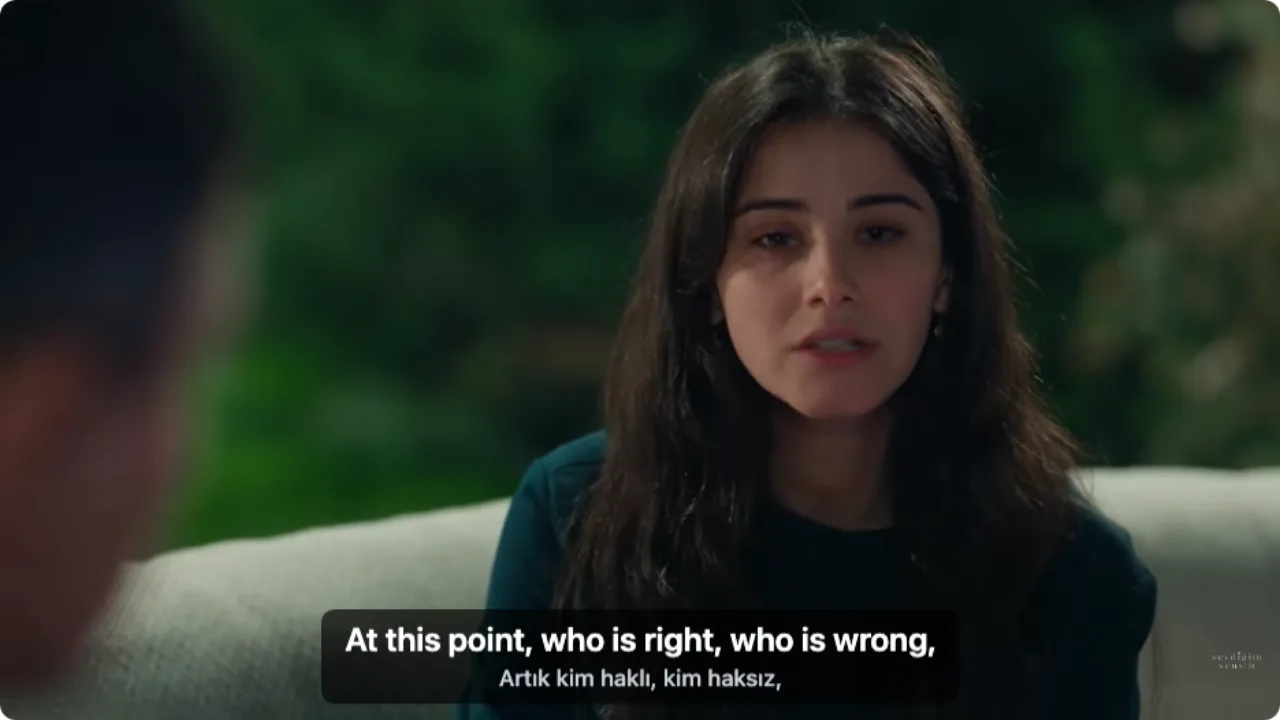
 WTAt this point, who is right, who is wrong,
Choose audio recognition and start
Click WT, set Subtitle source to Audio recognition and Target language to English, then Start translation.
What Turkish episodes look like with it
English from the Turkish dialogue
Episodes with no track still get a line; the speech itself is recognised and translated.
Names and terms of address kept
With the Turkish line underneath, names, abi, abla and hanım stay visible as said.
Two-hour episodes ready ahead
Prepare a whole episode in advance and skip to any scene with subtitles already there.
Turkish shows people watch this way
Romance and family dramas
Weekly episodes from the official channels, two hours or more.
Historical epics
Long period series where names and titles matter.
Crime and thriller series
Fast dialogue that is hard to follow from the picture alone.
Comedies
Jokes and wordplay, easier with the Turkish line kept.
Finales and new seasons
Episodes fans want the day they go up, before fan subs exist.
Learning Turkish
English and Turkish together, line by line.
Is YouTube's own translation enough?
If the episode has English captions, or a track YouTube can auto-translate, use it. The other rows are where WatchTranslate helps.
| The episode | In YouTube's player | With WatchTranslate |
|---|---|---|
| English captions listed | Turn them on | Not needed |
| Turkish captions only | Auto-translate, if offered, one language at a time | English with the Turkish line below |
| No captions at all | Nothing to translate | English from the Turkish audio |
| A two-hour episode | Same as above | Can be prepared in full in advance |
What the table shows is YouTube in a computer browser, signed out.
What we tried on YouTube
On a computer with the live extension, signed out of YouTube, playing an official full episode from 10 minutes in, with audio recognition.
- Works
Sevdiğim Sensin, official episode · first English line in about 6 s
The Turkish dialogue was recognised and translated; English on top, Turkish below.
Tested 11 Nov 2026 · extension 0.5.769 · Chrome · signed out of YouTube
Watch on your phone
Scan to get the app
Then open the episode on YouTube, click WT and choose audio recognition.
In detail
What to do for each episode
| What the CC menu shows | What to do | Worth knowing |
|---|---|---|
| English | Use YouTube's English captions | Nothing else needed |
| Turkish only | Translate that track: Subtitle source = Video subtitles | 0.2 credits a minute, timing follows the track |
| Nothing, or greyed out | Subtitle source = Audio recognition | 1 credit a minute; music and crosstalk can cause errors |
| A very long episode | Prepare the whole episode in advance | A 120-minute episode from audio costs 120 credits |
Why Turkish episodes often lack English
Turkish broadcasters post full episodes on their official YouTube channels for their home audience. Captions, when present, are usually Turkish, and YouTube's automatic captions may be missing: its help page lists long videos, unclear speech, overlapping voices and a silent start among the reasons. Turkish dramas are long, scored with music and full of overlapping dialogue, so there is often no track for Auto-translate to work on.
First, try YouTube's own captions
Open the CC menu or Settings › Subtitles/CC. If English is listed, choose it. If only Turkish is listed, choose it and then Auto-translate › English, if that option appears.
No track: English from the Turkish audio
Set Subtitle source to Audio recognition. The language is detected automatically, or set it to Turkish. Subtitles appear stretch by stretch, about 30 seconds each, a few seconds after you start.
What a full episode costs
From audio, 1 credit a minute: a 120-minute episode is 120 credits. Translating an existing track is 0.2 a minute, so the same episode is 24. Failed windows are not charged.
How the Turkish becomes English
Do I need to download the episode?
No. It runs on the episode's YouTube page, and audio is processed in short stretches as you watch.
Why do names come out right?
Each line is translated by a large language model with the surrounding lines in view, so characters and forms of address stay consistent across a scene.
Is it free if someone already translated the episode?
Parts someone already translated to English the same way can usually be reused; you are only charged for parts that still need making.
What YouTube says about automatic captions
From the YouTube Help Center, checked signed out of YouTube on .
Automatic captions come from speech recognition and may not be produced when a video is long, the sound is poor, speakers overlap or the start is silent.
support.google.com/youtube/answer/6373554
Watch Turkish episodes smoothly
Start after the opening titles
The theme song has no dialogue; start where people speak.
Set the language to Turkish
Naming the language keeps recognition steady through music.
Keep the Turkish line
Check names and forms of address against what was said.
Prepare the episode first
For a two-hour episode, prepare it, then skip freely.
About Turkish series on YouTube
How do I translate a Turkish series on YouTube?
Try CC › Auto-translate first. If that isn't available, add WatchTranslate in Chrome or Edge, choose audio recognition and English, start translation and play.
Do I need to download the episode?
No. Translation runs on the episode's YouTube page.
How long until the first English line?
About 6 seconds in our 11 November test, then line by line with the dialogue.
Is the translation accurate?
It is machine translation of speech; music and overlapping voices can cause mistakes, so the Turkish line stays visible.
How much does one episode cost?
From audio, 1 credit a minute; a 120-minute episode is 120 credits. New accounts get 20 free minutes.
Can I watch on my phone?
Install the WatchTranslate app, open the episode inside it and tap Translate.
Does it work on private or region-blocked episodes?
It works on episodes you can play. Watch on the official channels.
Can I keep the subtitles?
Yes. Export SRT or VTT: English, Turkish or both.
Is WatchTranslate made by YouTube or the broadcaster?
No. It is an independent extension that shows subtitles on YouTube's player.
One tool to understand foreign-language videos on many sites
Translates as you watch, wherever you are in the video
Jump anywhere and it translates there — no need to translate the whole video first.
Translate videos on YouTube, X, Bilibili and more
Translate existing subtitles directly, or generate bilingual subtitles when there are none.
Better translation quality than traditional machine or real-time translation
AI language models use context and connect the surrounding dialogue to understand meaning.
Export subtitles as SRT / VTT files
Download generated subtitles as original, translated, or bilingual text and load them in common players.
Already translated by someone? Watch it free
Sign up free to reuse generated subtitles for the same video, subtitle source and languages, even after your credits run out.
Bilingual subtitles on your phone
Play video files on your phone, or open a video site in the app's built-in browser and tap Translate. A native player handles more video formats than the web player.
Keep reading
Related questions
- YouTube video has no subtitlesSubtitles from the audio
- YouTube auto-translate has no EnglishWhen only Turkish is listed
- Translate a full video in advanceFor two-hour episodes
Choosing a tool
More: All guides · Supported sites