
How do I get subtitles in a video's original language?
Many videos have no captions at all, or only captions in some other language. Turn on WatchTranslate with audio recognition and set Subtitles to Original: it writes down what is actually said, in the language it is said in.
Watch on your phone
Scan to get the app


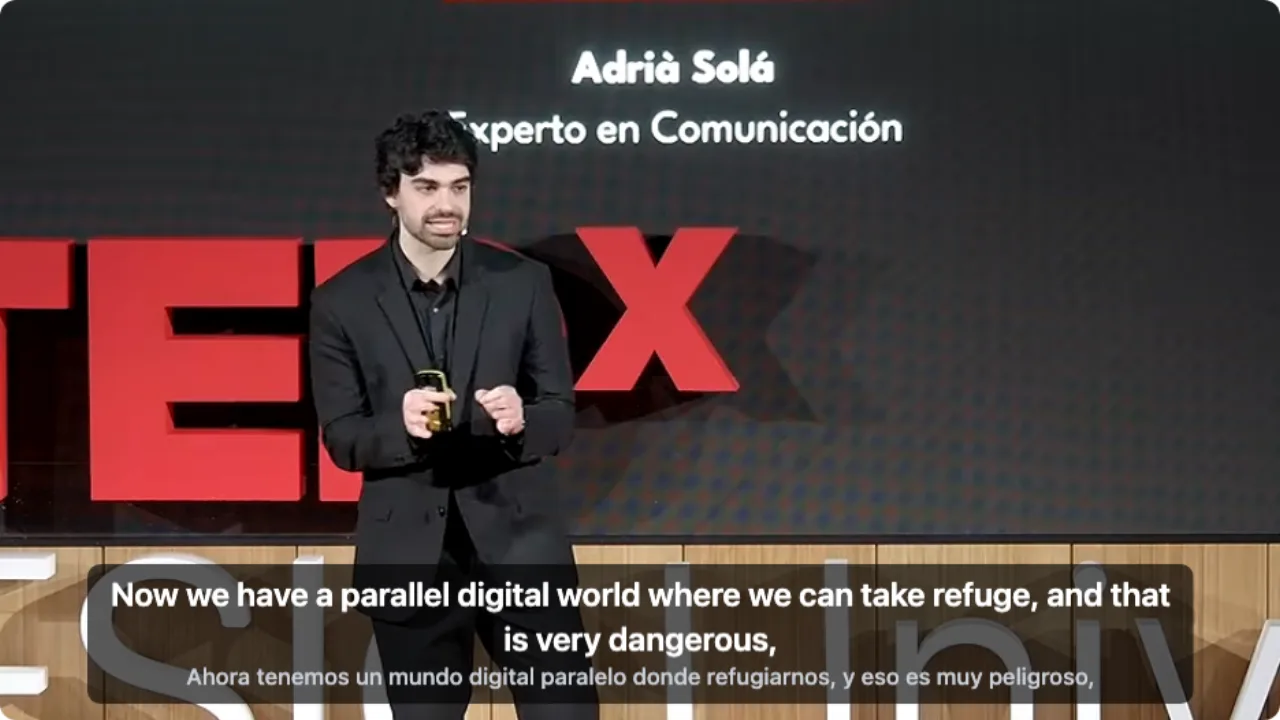
Three steps to same-language subtitles
Add the extension
Chrome or Edge on a computer, then sign in to WatchTranslate. For a file on your computer, open the web player instead.
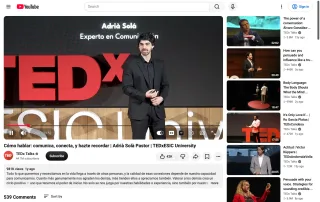
Leave the video language on auto
Open the video and click WT. Auto-detect works for most videos; pick the language yourself if the speaker switches.
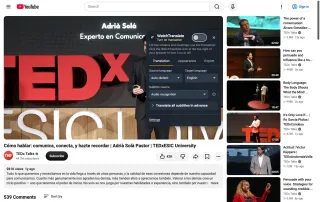
Start, then choose Original
Press Start translation and play. In the Appearance tab set Subtitles to Original to see only the spoken language.
Why read the original instead of a translation
Hear and read the same sentence
For listening practice, the line on screen is exactly what you just heard, not a paraphrase.
Captions for any spoken language
Useful for strong accents, noisy rooms or simply reading along, even when the video has no captions.
Names and terms as spoken
Quote a speaker, take notes or catch a product name without a translator's choices in the way.
When people turn on original-language subtitles
Listening practice
Spanish, Japanese or French videos watched with the same-language line.
Fast or accented speech
Interviews and street talk that are easier to follow when you can read along.
Lecture notes
Copy terms and figures exactly as the lecturer said them.
Quoting a speaker
Journalists and researchers who need the original wording, with timestamps.
Noisy recordings
Phone footage and events where the sound alone is hard to catch.
Your own downloaded files
Films and recordings on your computer, through the web player.
Doesn't the video already have original captions?
If the creator uploaded captions in the spoken language, turn those on. The rest of the table is where they are missing.
| The video | On the site | With WatchTranslate |
|---|---|---|
| Creator added same-language captions | Turn them on | Pick them as the source; 0.2 credits a minute |
| Only captions in another language | No way to see what was actually said | Transcribes the speech in its own language |
| No captions at all | Nothing to show | Writes the spoken words as it plays |
| A file on your computer | Not applicable | The web player does the same with a dropped-in file |
The site column describes YouTube, X and Bilibili in a computer browser.
What we tried
On a computer with the live extension, signed out of YouTube, with audio recognition on a talk that has no English track.
- Works
Spanish TEDx talk · first line in about 7 s
Recognition wrote the Spanish speech line by line; the same run also shows an English line, which you can switch off.
Tested 9 Nov 2026 · extension 0.5.737 · Chrome · signed out of YouTube
Watch on your phone
Scan to get the app
Then open the video, press Start and switch Subtitles to Original.
In detail
Which display setting for which goal
| Your goal | Display setting | Why |
|---|---|---|
| Listening practice | Original | You read exactly what you hear, nothing else on screen |
| Practice, with a safety net | Bilingual · original on top | Original first; your language below when you get stuck |
| Just follow the story | Target only | Only your language, one line |
| Check a quote | Bilingual · translation on top | Meaning first, original wording right under it |
Where original-language subtitles come from
A video's original-language subtitles are just the spoken words written down, in the language they were spoken. Platforms only show them if the creator uploaded them or the site generated them. WatchTranslate makes them from the audio when they are missing: speech recognition writes each line in the detected language, and because those lines are kept, you can show them alone, under a translation or above it, and switch at any time without starting again.
On YouTube, Bilibili and X
Add the extension, open the video and click WT. If the video has its own same-language captions, choose them as the source, which costs 0.2 credits a minute. Otherwise choose audio recognition, at 1 credit a minute. Press Start translation, play, and set Subtitles to Original.
Local or downloaded videos
Open the web player, sign in and drop the file in. Leave the source language on auto-detect, press Start translation and set Subtitles to Original. The file is never uploaded as a whole.
Saving the original lines
In the Export tab choose Original to get an SRT or VTT file that contains only the spoken-language lines and their timestamps.
How the spoken words become lines
Why does showing only the original cost the same?
Recognising the speech is the main cost. Whether you then show the original, the translation or both, the same recognition has been done.
How is the language detected?
On auto-detect, each stretch of about 30 seconds is recognised and its language identified. If a speaker mixes languages, naming the main one yourself keeps recognition on track.
How close is it to what was said?
Clear speech from one person is closest. Music, crosstalk and strong accents can cause misheard words, names especially, and the audio keeps playing so you can compare.
What YouTube says about automatic captions
From the YouTube Help Center, checked signed out of YouTube on .
YouTube's automatic captions are made by speech recognition in the video's language, and they are not produced for every video or every language.
support.google.com/youtube/answer/6373554
Make original-language subtitles work for you
Use the creator's track when there is one
Same-language captions from the creator are exact and cost less.
Start with one clear speaker
Talks, lessons and vlogs give the cleanest transcription.
Switch to bilingual when stuck
Original on top, your language below: no restart needed.
Export for study
An Original-only SRT is a ready transcript with timestamps.
About original-language subtitles
Can I export only the original lines?
Yes. Choose Original when exporting SRT or VTT; the file holds only spoken-language lines and timestamps.
Is showing only the original cheaper?
No. The cost is recognising the speech, whichever lines you show.
Which languages can it transcribe?
The 74 subtitle languages, including Spanish, French, Japanese, Korean, English, German and Portuguese.
Is it good for learning a language?
Yes. Watch with the original only to practise listening, and switch to bilingual when you get stuck.
The language was detected wrongly. What now?
Set Source language yourself in the panel and press Start again.
Does it work on files on my computer?
Yes, in the web player: drop the file in, start, and set Subtitles to Original.
Does it work without a caption track?
Yes. Audio recognition writes the words from the speech itself.
Do I need to sign in to YouTube?
No. You sign in to WatchTranslate, which tracks your free minutes.
Can I use it on a phone?
Install the WatchTranslate app and open the video inside it.
One tool to understand foreign-language videos on many sites
Translates as you watch, wherever you are in the video
Jump anywhere and it translates there — no need to translate the whole video first.
Translate videos on YouTube, X, Bilibili and more
Translate existing subtitles directly, or generate bilingual subtitles when there are none.
Better translation quality than traditional machine or real-time translation
AI language models use context and connect the surrounding dialogue to understand meaning.
Export subtitles as SRT / VTT files
Download generated subtitles as original, translated, or bilingual text and load them in common players.
Already translated by someone? Watch it free
Sign up free to reuse generated subtitles for the same video, subtitle source and languages, even after your credits run out.
Bilingual subtitles on your phone
Play video files on your phone, or open a video site in the app's built-in browser and tap Translate. A native player handles more video formats than the web player.
Keep reading
Related questions
- YouTube video has no subtitlesSubtitles from the audio
- Web video with no subtitle trackTrack or no track
- Export SRT or VTTKeep the lines
Choosing a tool
More: All guides · Supported sites