
How do I translate a video's subtitles?
If the video already has subtitles, only the text needs translating: faster and cheaper than listening to the audio. Choose Video subtitles as the source in WatchTranslate and press Start translation; files on your computer open in the local player.
Three steps to translated subtitles
Open the video
A web video: add the extension and open it on its site. A file: open the local player and drop it in.
Choose Video subtitles
In the WatchTranslate panel set Subtitle source to Video subtitles and Target language to yours. With no track listed, use Audio recognition instead.
 WTA parallel digital world
Start translation and play
Translated lines follow the original timing; the original can stay below them.
What translating subtitles gives you
Five times cheaper than audio
Translating existing text is 0.2 credits a minute, against 1 for recognising speech.
The creator's timing kept
Line breaks and timestamps come from the original track, so it reads as tidily as the source.
Context-aware translation
Lines are translated with their neighbours in view, so names and forms of address stay consistent.
Subtitles people translate
YouTube captions
Creator-uploaded and automatic captions in another language.
Bilibili's own subtitles
Uploader subtitles, readable after you sign in to Bilibili.
Captions on X videos
Captions a poster attached to a video.
Subtitles inside MKV and MP4
Text tracks inside files on your computer, in the local player.
Lectures with English captions
Course videos where only English is offered.
Series episodes
Episodes whose subtitles exist only in the original language.
Isn't YouTube's Auto-translate enough?
For the gist of a video, try YouTube's Auto-translate first. It translates line by line and shows one language at a time.
| What you need | YouTube Auto-translate | With WatchTranslate |
|---|---|---|
| The gist | Fine | Not needed |
| Names and forms of address right | Line by line, easy to slip | Translated with surrounding lines |
| Original and translation together | One language at a time | Two lines, either order |
| Subtitles inside a local file | Not applicable | Local player translates the text track |
Auto-translate needs a caption track; with none, choose audio recognition instead.
What we tried
On a computer with the live extension, signed out of YouTube.
- Works
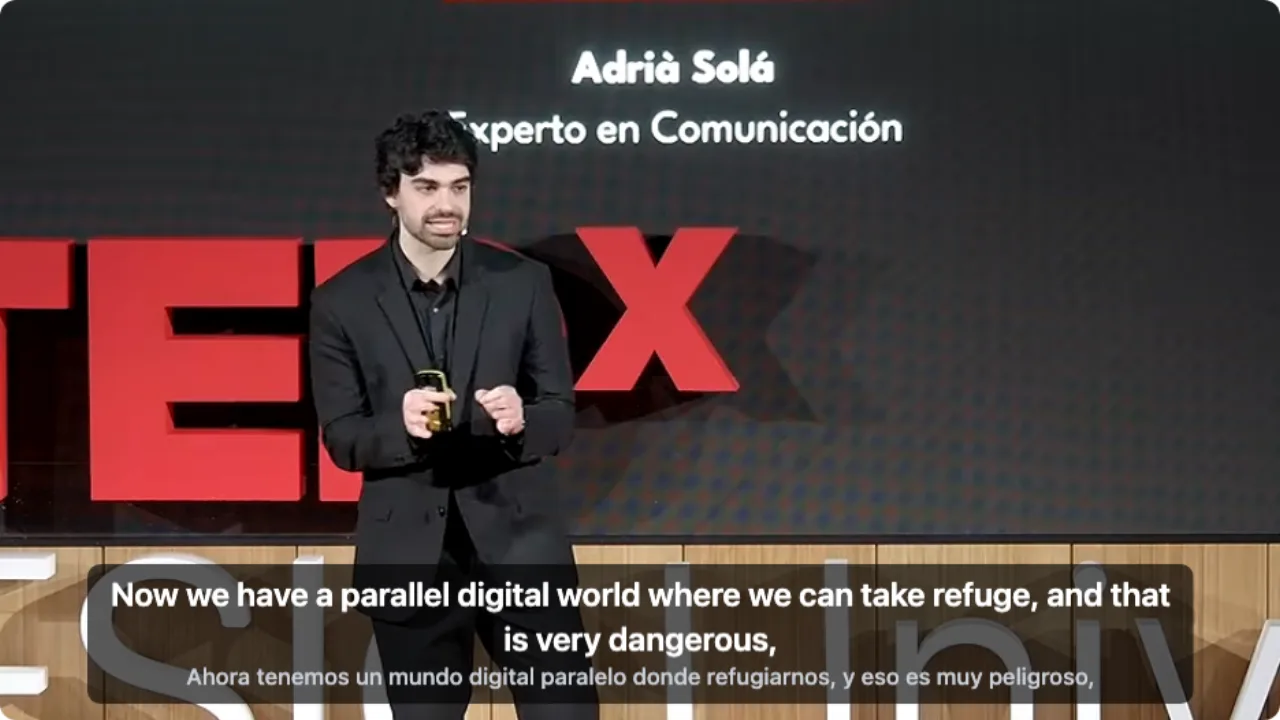
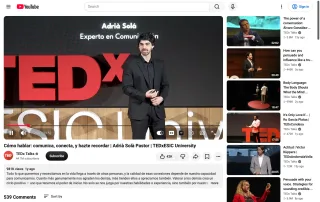
Spanish TEDx talk on YouTube · about 7 s
The video had no English track, so we used Audio recognition: English on top, Spanish below. On a video with subtitles, Video subtitles translates that text instead.
Tested 9 Nov 2026 · extension 0.5.737 · Chrome · signed out of YouTube
Open your file in the local player, or the web video with the extension, and choose Video subtitles.
In detail
Video subtitles or audio recognition?
| The video | Subtitle source | Worth knowing |
|---|---|---|
| Has subtitles in another language | Video subtitles | 0.2 credits a minute, original timing |
| Has machine captions full of errors | Audio recognition | Listens again; 1 credit a minute |
| Has no subtitles | Audio recognition | Writes the original line first, then translates |
| MKV/MP4 with a text track | Video subtitles in the local player | The track's declared language is used |
Translating subtitles, not audio
Plenty of videos have subtitles, just not in your language. In that case nothing has to be recognised: the text and its timing are already there, and only translation is left. That is why WatchTranslate picks a readable subtitle track first by default and uses the audio only when there isn't one.
On YouTube, X and Bilibili
Open the panel, set Subtitle source to Video subtitles and pick your language, then Start translation. Bilibili shows uploader subtitles only to signed-in viewers, so sign in to Bilibili in the same browser first.
Subtitles inside a file
Open the local player, drop in an MP4 or MKV that carries a text subtitle track, choose that track and your language. The track's declared language is used as the source.
Saving the result
In Export, choose original, translation or both and save SRT or VTT to use in any player.
How the subtitles are translated
Why is it cheaper than audio?
There is no speech recognition to run, only translation of text that already exists.
Why do names stay consistent?
A large language model translates each line with the lines around it, rather than one isolated sentence at a time.
What if someone translated it before?
Parts already translated from the same subtitles into the same language can usually be reused; only new parts are charged.
What YouTube says about its captions
From the YouTube Help Center, checked signed out of YouTube on .
Captions on YouTube are turned on and adjusted from the CC button and the settings menu.
support.google.com/youtube/answer/100078
Get the best translated subtitles
Prefer the creator's track
Uploaded subtitles are the most accurate text to translate.
Switch to audio for messy captions
When automatic captions mishear, listen again instead.
Keep the original underneath
Check a surprising line against the source.
Export when you need a file
SRT or VTT works in almost any player.
About translating subtitles
Is there a YouTube subtitle translator that gets names right?
WatchTranslate translates YouTube subtitles with the surrounding lines in view, so names and forms of address stay consistent.
Video subtitles or audio recognition: which should I pick?
If the video has subtitles, pick Video subtitles: faster and cheaper. Use audio recognition when there are none.
Can I export the translated subtitles?
Yes, as SRT or VTT: original, translation or both.
Can I translate subtitles inside an MKV file?
Yes, text subtitle tracks in the local player. Subtitles burned into the picture are part of the image, so use audio recognition for those videos.
Do I need to sign in to Bilibili?
Only to read a video's own subtitles there; Bilibili shows them to signed-in viewers.
How much does it cost?
0.2 credits a minute to translate subtitles, 1 from audio. New accounts get 20 free minutes.
Which languages?
Any of 74 subtitle languages as the target.
Does it work on a phone?
Install the WatchTranslate app and open the video inside it.
One tool to understand foreign-language videos on many sites
Translates as you watch, wherever you are in the video
Jump anywhere and it translates there — no need to translate the whole video first.
Translate videos on YouTube, X, Bilibili and more
Translate existing subtitles directly, or generate bilingual subtitles when there are none.
Better translation quality than traditional machine or real-time translation
AI language models use context and connect the surrounding dialogue to understand meaning.
Export subtitles as SRT / VTT files
Download generated subtitles as original, translated, or bilingual text and load them in common players.
Already translated by someone? Watch it free
Sign up free to reuse generated subtitles for the same video, subtitle source and languages, even after your credits run out.
Bilingual subtitles on your phone
Play video files on your phone, or open a video site in the app's built-in browser and tap Translate. A native player handles more video formats than the web player.
Keep reading
Related questions
- YouTube auto-translate has no EnglishWhen the menu has no English
- Translate embedded subtitlesTracks inside MKV and MP4
- Export SRT or VTTSave the result
More: All guides · Supported sites