
TI China training videos in English Mandarin courses, line by line
TI's China site hosts training videos taught in Mandarin by TI engineers and trainers. The slides often carry English titles, but the explanation is spoken in Chinese. WatchTranslate writes that explanation in English on the player, with the Chinese sentence underneath for part names and figures.
Watch on your phone
Scan to get the app


English slide titles, Mandarin explanation
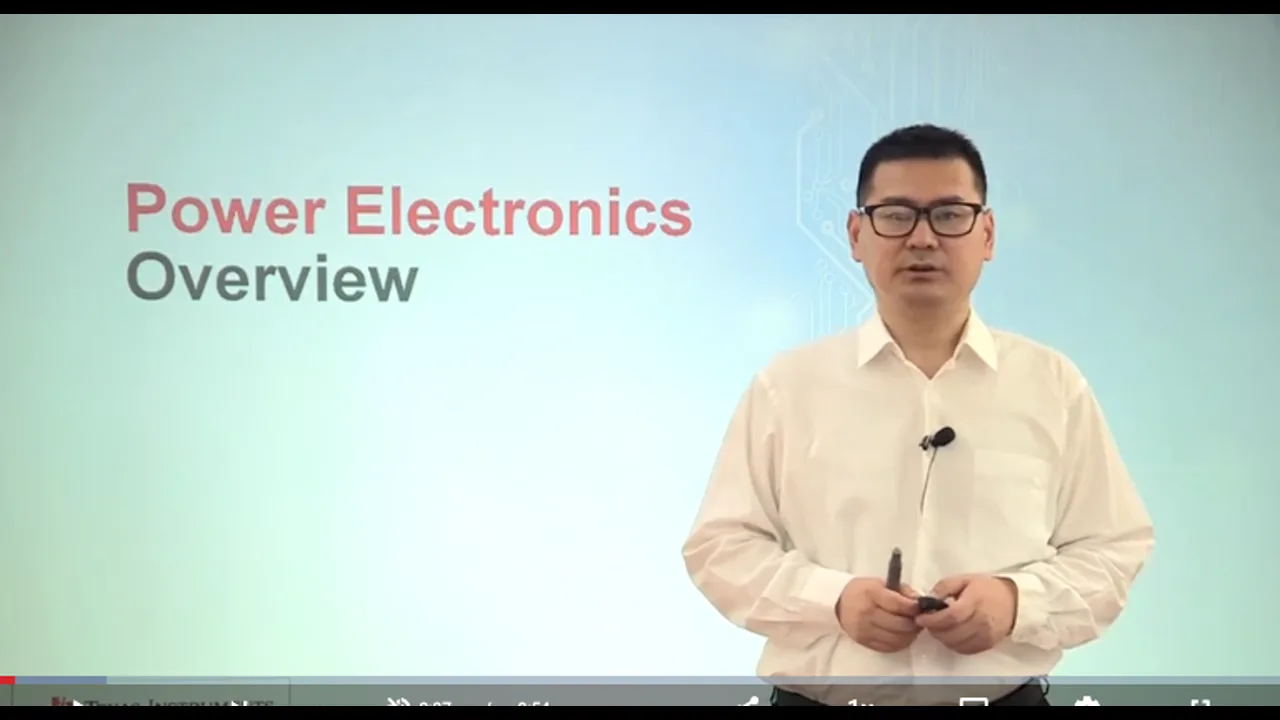
On the TI China course we tested, the slide said Power Electronics Overview in English, while every sentence of the explanation was in Mandarin and no subtitle was on screen. WatchTranslate listens to the trainer and writes the explanation in English as the lesson plays.
- The slide title is English, the talk is Mandarin
- Design reasoning lives in the spoken part
- Hard to tell which point a figure belongs to
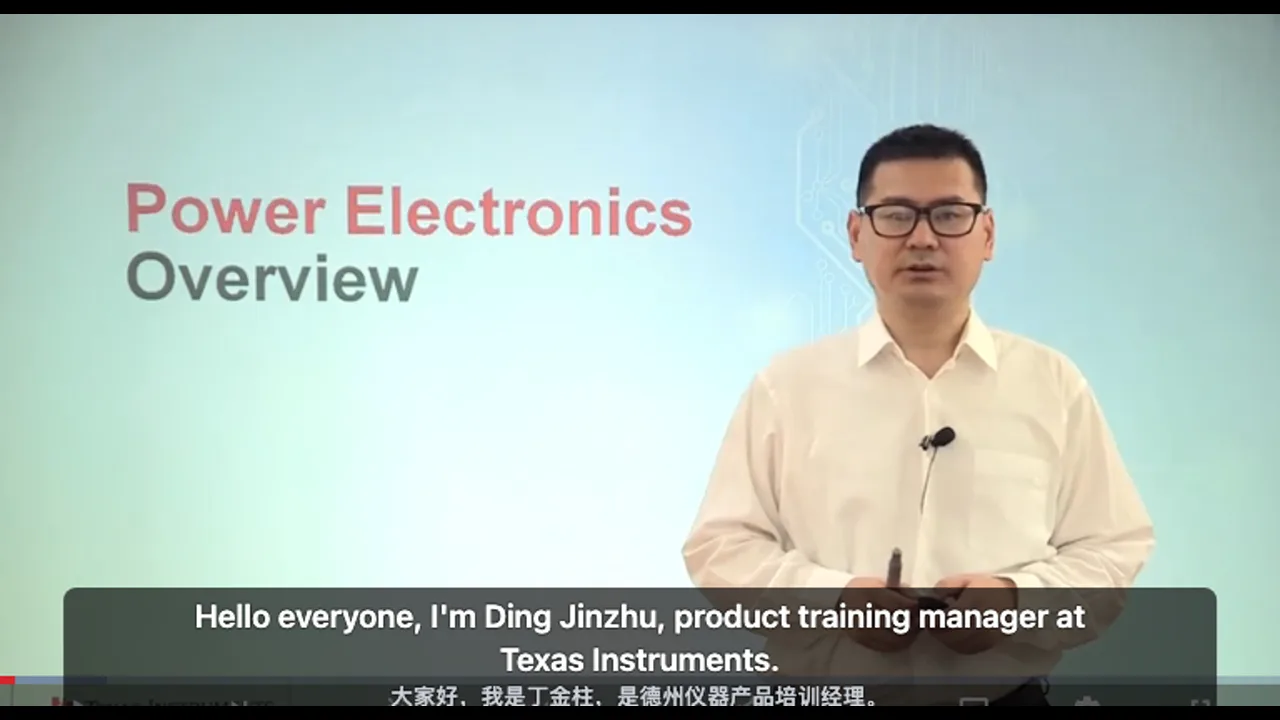
- The trainer's explanation in English, sentence by sentence
- The Chinese line stays below for terms and numbers
- Turned on from the toolbar, on the course already playing
English subtitles on ti.com.cn in three steps
Install the extension
Add WatchTranslate to Chrome or Edge on your work or home computer and pin it to the toolbar.
Play a training video on ti.com.cn
Open a course from the ti.com.cn video library, such as a power basics or embedded lesson, and start playback.
 WTThe first part is the fundamentals of power electronics technology.
Click the icon, turn on Translation
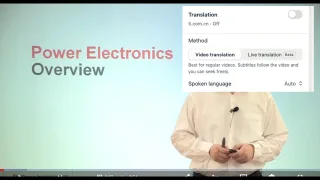
Open the WatchTranslate popup from the toolbar. At the top it shows Translation with ti.com.cn · Off; keep Target language on English and switch Translation on. English follows the trainer's next sentence.
Get the WatchTranslate app
Free to download on Android and iPhone. Then open it.
Open ti.com.cn in the app
On the app's home screen, type ti.com.cn into “Search or enter address” and play a video.
Tap “Translate”
The button shows at the bottom of the screen while the video plays. Subtitles then follow the video as you watch.
Built for Mandarin engineering training on ti.com.cn
Translates the trainer, not the slides
English comes from the Mandarin explanation, the part the English slide titles leave out.
Chinese line kept for part names and figures
Check a converter type, a voltage or a value against the original Chinese sentence under the English.
A switch in the popup
On ti.com.cn the popup opens with a Translation switch for the site; flip it on and the course keeps playing.
Engineering terms read consistently
Each sentence is translated with its neighbours, so a term like power electronics stays the same through a whole lesson.
Mandarin detected for you
Spoken language is set to Auto in the popup, so a Chinese-language lesson needs no extra setup.
Jump to the chapter you need
Skip ahead in a long course to the converter or control topic you care about; subtitles carry on from there.
What engineers watch on ti.com.cn
Chip product training
Product-family courses that walk through what a device does and where it fits.
Power supply fundamentals
Lessons on power components, AC/DC converters and basic control theory.
Analog circuit explainers
Step-by-step talks on analog design, with the Chinese line for checking figures.
Engineer technical talks
Presentations by TI engineers on design topics, sentence by sentence in English.
Embedded development tutorials
Walkthroughs for embedded work, followed in English while the demo runs.
Product solution overviews
Introductions to reference solutions, handy when a Chinese team shares one with you.
Do ti.com.cn training videos have English subtitles?
It depends on the video. TI's China forum describes Chinese subtitles for its Engineer It training series; Mandarin-taught courses are a different case. Here is how they compare.
| The video | What TI offers | With WatchTranslate |
|---|---|---|
| Engineer It training series | Chinese subtitles through the CC button, per a TI China E2E forum post | Not needed if the video already speaks your language |
| A course taught in Mandarin | The trainer's Mandarin audio, with slides that may carry English titles | English lines from the speech, Chinese sentence underneath |
| You want a language other than English | The subtitle options on each video | Any target language set in the popup |
Based on the ti.com.cn web player and official pages (signed out) on November 18, 2026; the current page takes precedence.
The course we tried on ti.com.cn
Chrome on a computer, extension 0.5.869, signed out of ti.com.cn: we played the training video Power Electronics Overview from the course 电源的基本认识, clicked the WatchTranslate icon in the toolbar and turned on the Translation switch with English as Target language.
- Works
Power Electronics Overview · Chinese → English
The first English line appeared 2.4 seconds after switching on: “Hello everyone, I'm Ding Jinzhu, product training manager at Texas Instruments.”, with the Chinese sentence below.
- Works
Course outline followed in order
The trainer's roadmap came through as spoken, from “the online training course on power supply technology basics.” to “The first part is the fundamentals of power electronics technology.”
Tested November 18, 2026 · extension 0.5.869 · Chrome · signed out of ti.com.cn
Watch on your phone
Scan to get the app
Use your 20 free minutes on the TI China course your Chinese colleagues keep recommending.
In detail
What to do for each kind of TI China video
| The video | What to do | Good to know |
|---|---|---|
| A course taught in Mandarin | Click the icon and turn on Translation with Target language on English | The Chinese line stays below for part names and values |
| An English Engineer It video with Chinese subtitles | Watch it as it is | Useful to share with Chinese colleagues who prefer the subtitles |
| A long product or solution course | Start at the chapter you need | Subtitles continue from wherever you jump to |
How WatchTranslate turns a Mandarin TI lesson into English
Where does the English come from?
Once Translation is on, WatchTranslate transcribes the Mandarin the trainer is speaking and translates it. It works in 30-second segments, the one playing and the next, so the English keeps up with the lesson.
How do technical terms stay consistent?
Each sentence is translated together with the ones around it, so a component, a topology or a unit reads the same way from start to finish. The Chinese and English lines share one timeline.
Why do some courses show subtitles at once?
When someone has already translated the same part of the same video into the same language, that result is reused and appears right away.
What TI says about subtitles on its China training
From a post on TI's China E2E support forum, checked on .
The post introduces TI's Engineer It training series to engineers on the China forum.
e2echina.ti.com/support/data-converters/f/data-converters-forum/309041/ti-engineer-itIt says these training videos can switch to Chinese subtitles with the CC button at the bottom right of the player.
e2echina.ti.com/support/data-converters/f/data-converters-forum/309041/ti-engineer-it
Getting the best results on ti.com.cn
Start after the intro
Press play where the trainer begins speaking rather than on the TI logo animation; the first line arrives sooner.
Check values on the Chinese line
Voltages, part families and figures are quickest to confirm against the original sentence.
Keep the slide in view
English subtitles plus the English slide titles give you the full picture of each section.
TI China training videos in English: questions
Do Texas Instruments training videos on ti.com.cn have English subtitles?
A post on TI's China E2E forum says the Engineer It training videos can switch to Chinese subtitles with the CC button. On the Mandarin course we tested, no subtitle was on screen. WatchTranslate adds English by translating the trainer's speech.
How do I translate a Texas Instruments Chinese training video into English?
Install WatchTranslate in Chrome or Edge, play the video on ti.com.cn, click the WatchTranslate icon in the toolbar, keep Target language on English and turn on the Translation switch.
How can I understand Chinese engineering videos without reading Chinese?
Turn on English subtitles with WatchTranslate. The English follows each spoken sentence, and the Chinese line underneath lets a colleague check a term with you.
Why does the popup show a Translation switch instead of a button?
On ti.com.cn the WatchTranslate popup opens with a Translation switch showing ti.com.cn · Off. Switching it on starts subtitles for the video playing.
Do I need a TI account?
No. Our test ran signed out of ti.com.cn. You need a free WatchTranslate account, which holds your free minutes.
Will technical terms be translated correctly?
Each sentence is translated with the sentences around it, so terms stay consistent through a lesson, and the original Chinese stays on screen for checking part names and values.
Does it help when I work with a Chinese engineering team?
Yes. You can watch the same ti.com.cn course your colleagues use and follow it in English, with the Chinese wording they will use in meetings right beneath.
Can I get subtitles in a language other than English?
Yes. Set Target language in the popup before turning Translation on.
How much can I watch for free?
New accounts get 20 free minutes with no card, enough for a short lesson or the first chapter of a course.
Is WatchTranslate made by Texas Instruments?
No. It is an independent browser extension and is not affiliated with Texas Instruments.
Keep reading
By topic
- Chinese videos with English subtitlesMandarin speech on other sites
Related questions
- Translate an online video with no subtitlesFrom the audio to English
- How bilingual subtitles workEnglish above, Chinese below
Other sites
- Wall Street Prep subtitlesAnother professional course site
- YouTube video translatorTalks and tutorials
- SOOP English subtitles
More: Supported sites · All guides
Also in: 日本語 · 한국어 · Español · Deutsch · Français · Português · Italiano · العربية · Polski · Nederlands · Türkçe · ไทย · Bahasa Indonesia · Tiếng Việt · Русский · हिन्दी
Texas Instruments, TI and related logos belong to Texas Instruments Incorporated. WatchTranslate is not affiliated with or endorsed by Texas Instruments.