
Wall Street Prep subtitles course videos in your language
Wall Street Prep teaches financial modeling, valuation, accounting and Excel in fast, jargon-heavy English. Once you are signed in and a lesson is playing, WatchTranslate puts the instructor's words on the video in your language, with the English line kept right below.
Watch on your phone
Scan to get the app


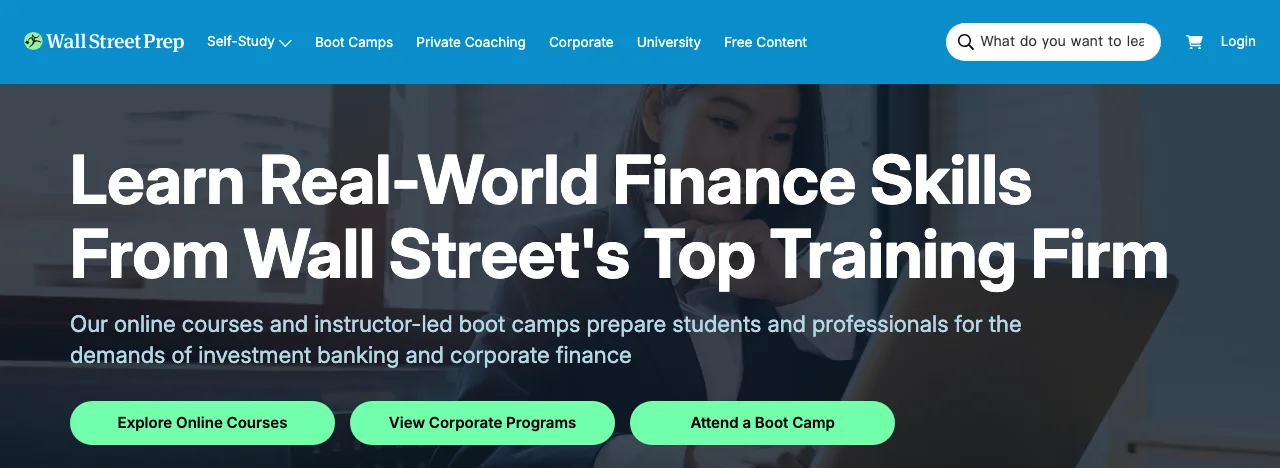
Subtitles on a Wall Street Prep lesson in three steps
Install the extension
Add WatchTranslate to Chrome or Edge on your computer, then pin its icon to the toolbar so it is one click away during a course.
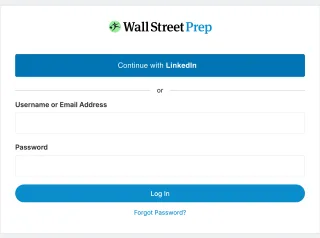
Sign in and open a lesson
Log in to Wall Street Prep with your own account as usual, open the course you are taking and start the lesson video.
Click the icon, then Translate this video
With the lesson playing, click the WatchTranslate icon at the top right of the browser, pick your target language and click Translate this video. Your language appears over the lesson, line by line.
Built for long, technical finance lessons
Stays inside your course
Nothing to download or re-upload: the lesson keeps playing in Wall Street Prep's own player, with subtitles on top.
Works from the instructor's voice
WatchTranslate transcribes what the instructor says and translates it, so a lesson needs no caption file to get subtitles.
Your language on top, English below
Keep the original English term in view while you read its meaning, the way the vocabulary shows up later in interviews and models.
Terms kept consistent
Each line is translated with its neighbours in view, so EBITDA, enterprise value or a model's sheet names read the same way through the lesson.
Rewind a tricky step
Drag the progress bar back to the formula you missed; subtitles pick up again from that point.
Pick your language
Portuguese, Spanish, Chinese, Japanese and many more: set the target language in the popup to whatever you read best.
Where subtitles help most in a Wall Street Prep course
Financial modeling walkthroughs
Long screen-recorded builds of a three-statement model, where every spoken shortcut and assumption matters.
Valuation lessons
DCF, trading comps and transaction comps explained step by step, with the English terms kept on screen.
Accounting foundations
Income statement, balance sheet and cash flow lessons for readers who learned accounting in another language.
Excel crash courses
Fast keyboard-driven demos where reading the instruction in your language lets you keep your eyes on the cells.
Investment banking and private equity prep
LBO and M&A modules studied ahead of interviews, in English with your language alongside.
Certificate programs
Multi-week programs where following every lesson in full is the whole point.
How viewers use it on Wall Street Prep
WatchTranslate viewers turned on subtitles while watching Wall Street Prep course videos, signed in to their own accounts.
- Works
Signed-in course videos
With a lesson playing on wallstreetprep.com, WatchTranslate found the course video and put subtitles on it.
- Works
English lessons into another language
Lessons taught in English came through as subtitles in the language the viewer chose.
Last confirmed in real use: November 15, 2026 · signed in to Wall Street Prep
Watch on your phone
Scan to get the app
Try your 20 free minutes on the next Wall Street Prep lesson in your course.
In detail
What to do for each kind of Wall Street Prep lesson
| The lesson | What to do | Good to know |
|---|---|---|
| You follow the English but miss some terms | Turn on subtitles in your language and keep English underneath | Both lines stay in sync, so you can match each term to its meaning |
| A long modeling walkthrough | Start subtitles at the beginning of the lesson and let it play | WatchTranslate keeps a little ahead of the lesson as it plays |
| You want to revisit one formula | Drag the progress bar back to that step | Subtitles continue from the new point |
How WatchTranslate makes subtitles on a course video
Where do the subtitles come from?
WatchTranslate listens to the lesson as it plays in your browser, transcribes the instructor's speech and translates it into the language you picked. It works in 30-second segments, the one playing and the next one, so the text keeps pace with the instructor.
Does it need my Wall Street Prep password?
No. You sign in to Wall Street Prep yourself, in your own browser. WatchTranslate works on the lesson already playing on the page; it never asks for your course login, and the course itself stays in Wall Street Prep's player.
Why keep the English line on screen?
Finance vocabulary is used in English at work and in interviews. Seeing the original term under its translation helps you learn both at once.
Getting the best results in your course
Start the lesson first
Press play on the lesson video, then click the WatchTranslate icon; the popup looks for the video playing on the page.
Keep English underneath
Bilingual lines make it easier to connect a translated sentence to the formula or sheet name on screen.
Pin the icon
With WatchTranslate pinned to the toolbar, every new lesson in the course is one click away.
Wall Street Prep subtitles questions
How do I get Wall Street Prep course videos in my language?
Install WatchTranslate in Chrome or Edge, sign in to Wall Street Prep, open a lesson and press play. Then click the WatchTranslate icon in the browser toolbar, choose your target language and click Translate this video.
Does it work on Wall Street Prep lessons I have to sign in for?
Yes. You sign in to Wall Street Prep yourself as usual; WatchTranslate works on the lesson video playing in your browser after that.
Do I need a Wall Street Prep account?
Yes, the course videos are for Wall Street Prep's own students. WatchTranslate adds subtitles to the courses you already have access to; it does not unlock any course.
Which languages can I translate a lesson into?
Pick any target language in the popup before clicking Translate this video, for example Portuguese, Spanish, Chinese, Japanese, Korean, French or German.
Will financial terms be translated correctly?
Each line is translated with the surrounding sentences in view, which keeps terms like enterprise value or free cash flow consistent. The English line stays underneath so you can always check the original term.
Can I go back to a part of the lesson?
Yes. Drag the progress bar to the step you want to see again and the subtitles continue from there.
Do I need to download the course?
No. The lesson keeps playing in Wall Street Prep's own player in your browser; WatchTranslate shows the subtitles on top of it.
What does it cost?
You get 20 free minutes with a free WatchTranslate account, with no card. After that, plans are on the pricing page.
Keep reading
Related questions
- Online video with no subtitlesCreate them from the audio
- How bilingual subtitles workTwo languages on screen
More: Supported sites · All guides
Also in: Português
Wall Street Prep and related logos are trademarks of their respective owners. WatchTranslate is not affiliated with or endorsed by Wall Street Prep. The screenshots show Wall Street Prep's public pages; course content is available to its students after signing in.