
How do I add subtitles to a video on my phone?
The WatchTranslate extension has no mobile version, so a phone has two routes: the WatchTranslate app, or the local player in your phone's browser. On Android you can skip the app: open watchtranslate.com/player, pick the video, press Start translation and play. On iPhone, the app is the better route.
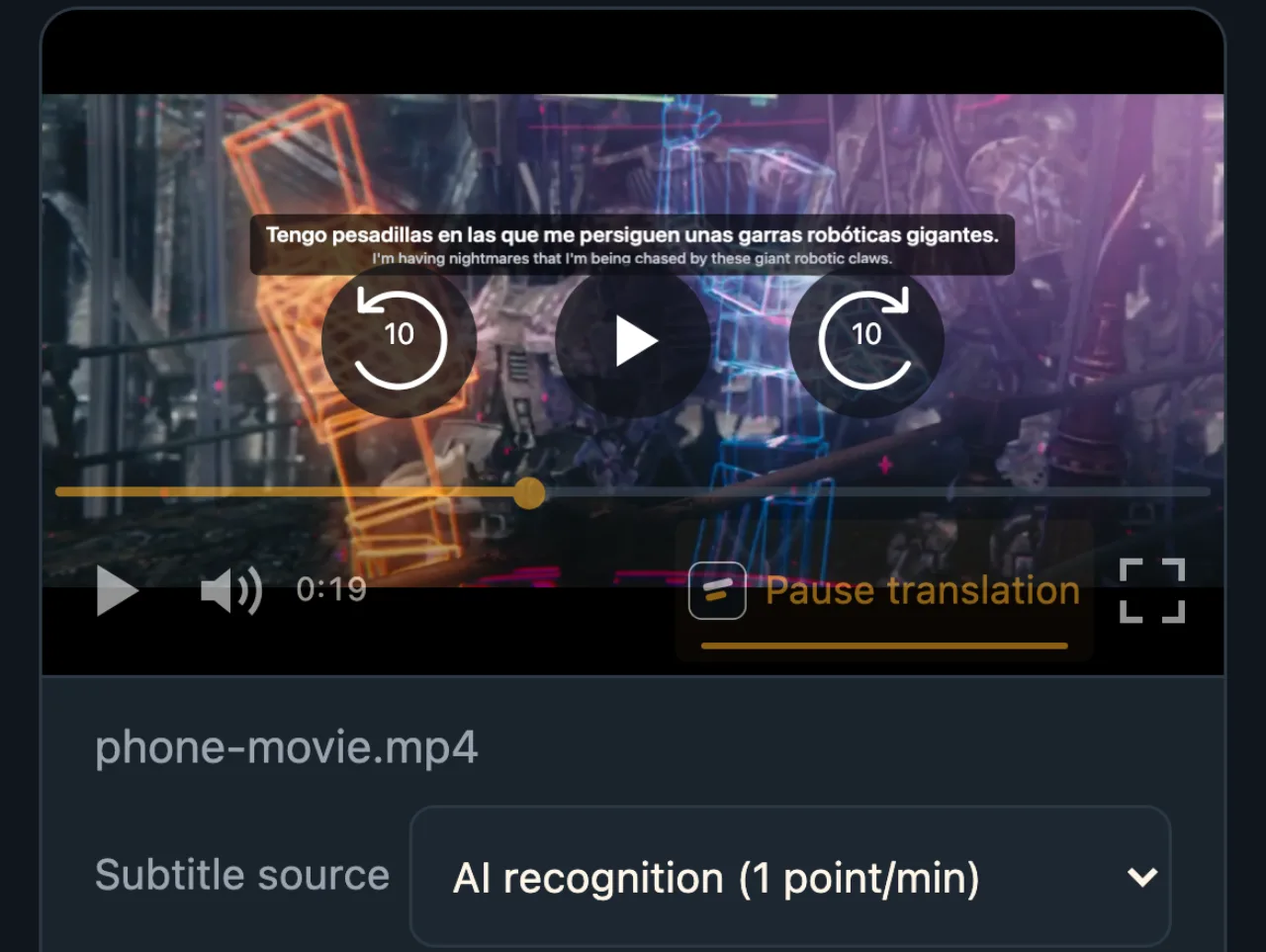
Three steps on a phone
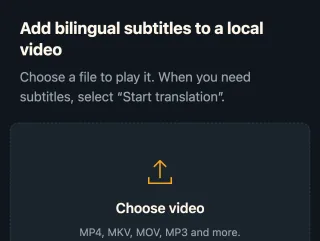
Open the local player
Go to watchtranslate.com/player in your phone's browser, sign in and pick a video from your gallery or files.
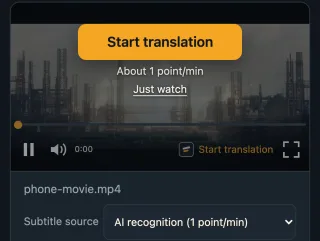
Check source and language
Subtitle source is usually AI recognition; set the language you want.
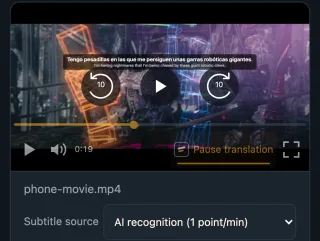
Start translation and play
Lines appear over the picture and follow playback.
What you get on a phone
Works without installing
On Android, just the phone browser.
Smoother with the app
More formats, plus web videos in its built-in browser.
One account everywhere
Phone and computer share the same credits.
Phone videos people subtitle
Saved clips
Foreign-language clips in your gallery.
Videos from chats
Something a friend forwarded.
Screen recordings
Recorded streams or lessons.
Travel videos
What locals were saying.
Listening practice
Both languages on the commute.
Work videos
Meetings and training clips.
Browser or app?
Both need a connection and the same account. On Android, the browser is enough for a video now and then; on iPhone, or if you watch often in many formats, the app is easier.
| You care about | Phone browser | WatchTranslate app |
|---|---|---|
| Installing | Nothing to install | Android from our site, iPhone from the App Store |
| Formats | What the browser plays | More |
| Videos on websites | No, the extension is desktop-only | In its built-in browser |
| Credits and subtitles | Same account | Same account |
The iPhone app needs iOS 17.4 or later; the Android app is a beta, not on Google Play yet.
What we tried
Desktop Chrome emulating a phone screen (390 wide, touch), with the live web local player.
- Works
English film clip at phone width · about 7 s
An open-movie clip, Subtitle source on AI recognition; we picked Spanish and the first line came about 7 s after Start translation.
Tested 11 Nov 2026 · web local player · Chrome phone emulation · live service
Open the local player in your phone's browser and pick a video; install the app if you watch often.
In detail
Pick by phone and video
| Your situation | Use | Worth knowing |
|---|---|---|
| Android, now and then | The local player in the phone browser | Nothing to install |
| iPhone | WatchTranslate from the App Store | iOS 17.4 or later |
| Android, often | The WatchTranslate app (beta) | Download from our site |
| The video is on a website | The app's built-in browser | The extension is desktop-only |
Why phone videos rarely have subtitles
Videos on a phone are mostly saved clips, screen recordings and things forwarded in chats. They seldom carry a subtitle track, and any the original had is often lost along the way. On a computer you could add the WatchTranslate extension; there is no mobile version, so the options are the web local player or the app. Both generate subtitles as the video plays, and the file stays on your phone.
Data and battery
Audio goes out in pieces of about 30 seconds while it plays, never the whole video, so data use is modest. Generating subtitles needs a connection and uses a little more battery than plain playback.
When the video has its own subtitles
If the file contains a text subtitle track, Subtitle source lists Embedded subtitles. Translating that track costs 0.2 credits a minute, less than listening.
Keeping them
Subtitles already generated can be exported as SRT or VTT and used in any player on your computer.
How subtitles happen on a phone
Why no extension on a phone?
The WatchTranslate extension is desktop-only, so the local player or the app takes its place.
Is it slower than a computer?
Recognition and translation run on our service in the same pieces; a slow network delays the first line a little.
How is it charged?
1 credit a minute from audio, 0.2 to translate existing subtitles, nothing for failed pieces; 20 minutes free for new accounts.
Smoother viewing on a phone
Start on Wi-Fi
A faster first line and less mobile data.
Turn the phone sideways
Wider lines, easier to read two languages.
Install the app if you watch often
More formats, and web videos too.
Translate long videos first
Start whole-video translation, then watch.
About subtitles on a phone
Can I install the WatchTranslate extension on my phone?
No, the extension is desktop-only. Use the local player or the app.
Can I use it without installing an app?
On Android, yes: open the local player in the phone browser. iPhone browsers play fewer formats, so the app is recommended.
Where do I get the Android app?
From watchtranslate.com/app/download. It is a beta and not on Google Play yet.
Is there an iPhone app?
Yes, WatchTranslate on the App Store, for iOS 17.4 or later.
Is my video uploaded?
Not as a whole file; only audio pieces are sent (or subtitle text, for a track). The video stays on your phone.
Does it use a lot of data?
Only short audio pieces are sent. Wi-Fi is still a good idea.
How soon does the first line appear?
In our phone-width test, after about 7 seconds.
What does it cost?
20 minutes free for new accounts, then 1 credit a minute from audio.
One tool to understand foreign-language videos on many sites
Translates as you watch, wherever you are in the video
Jump anywhere and it translates there — no need to translate the whole video first.
Translate videos on YouTube, X, Bilibili and more
Translate existing subtitles directly, or generate bilingual subtitles when there are none.
Better translation quality than traditional machine or real-time translation
AI language models use context and connect the surrounding dialogue to understand meaning.
Export subtitles as SRT / VTT files
Download generated subtitles as original, translated, or bilingual text and load them in common players.
Already translated by someone? Watch it free
Sign up free to reuse generated subtitles for the same video, subtitle source and languages, even after your credits run out.
Bilingual subtitles on your phone
Play video files on your phone, or open a video site in the app's built-in browser and tap Translate. A native player handles more video formats than the web player.
Keep reading
Related questions
- Local video with no subtitlesChoosing a subtitle source
- Foreign movie with no subtitlesWhen it is a film
- Export SRT or VTTKeep what was generated
More: All guides · Local player
Also in: 简体中文