
How do I add subtitles to a video?
It depends on whether a subtitle file exists. With an SRT, you only attach it: seconds. Without one, the speech has to become text first. For that second case, drop the video into the WatchTranslate local player and press Start translation; subtitles appear as it plays.
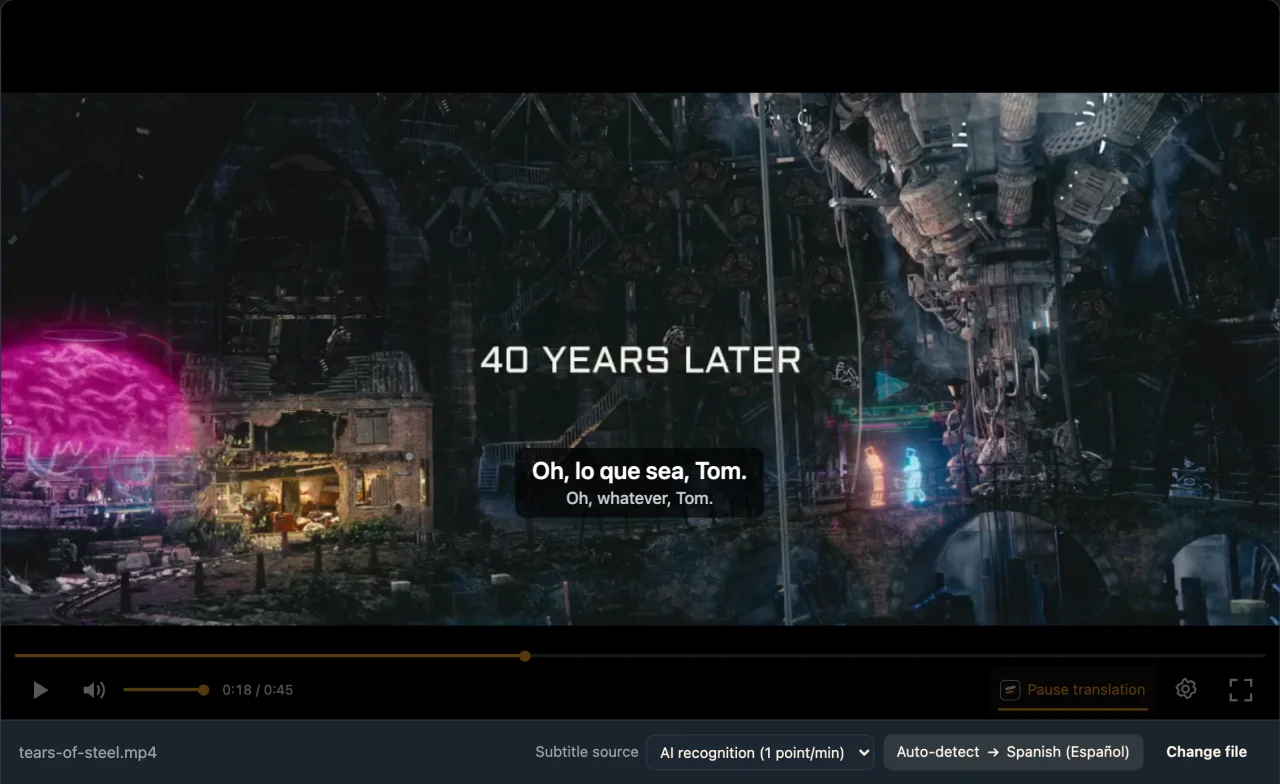
Three steps from speech to subtitles
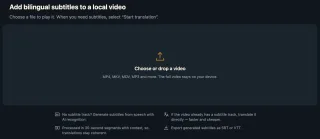
Open the video
Open the local player in your browser, sign in and drop the video in; a subtitle file can come along.
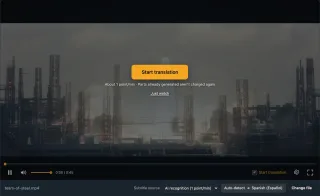
Choose where subtitles come from
Subtitle source: AI recognition to make them from speech, or Load subtitle file… for one you have.
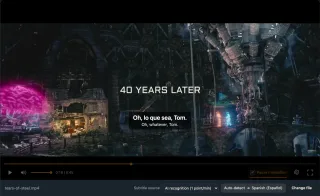
Start, then export if needed
Subtitles follow playback. For a file, Export subtitles saves SRT or VTT.
Ways a video can end up subtitled
Subtitles while you watch
The original video is untouched; lines sit over the picture and can switch language.
A standalone subtitle file
Export SRT or VTT to sit next to the video for any player.
Another language
Got subtitles already? Translate that file into the language you need.
Common reasons to add subtitles
Creators
A first draft of subtitles before upload.
Teachers and speakers
Text for recorded lessons.
Film watchers
A copy with no subtitles at all.
Viewers who need captions
Family videos with words on screen.
Language learners
Original and translation together.
Work recordings
Meetings and training with a transcript.
When do you need an editor?
To burn subtitles into the picture, style them and publish, an editor or ffmpeg is the right tool. To watch with subtitles, or to get a first subtitle draft, a player is enough.
| What you want | Editor / regular player | WatchTranslate local player |
|---|---|---|
| Subtitles burned into the picture | Its strength, needs a render | Video export (beta) where the browser supports it |
| No subtitle text yet | Transcribe it yourself | Generated from speech |
| An SRT in your language, just to watch | Any player loads it | Not needed |
| Subtitles in another language | Find a translation | Translates that file |
Already have a subtitle file? ffmpeg can mux it into the MP4 as a soft subtitle in seconds, with no re-encode.
What we tried
On a computer with the live web local player in Chrome; the file had no subtitles of any kind.
- Works
Film clip with no subtitle file · about 6 s
English dialogue in an MP4; AI recognition wrote down the speech and translated it into Spanish, first line about 6 s after Start translation.
Tested 11 Nov 2026 · web local player · Chrome · live service
Load the subtitle file you have, or generate one from the speech, in the same player.
In detail
Pick the method by what you hold
| You have | How to add it | Worth knowing |
|---|---|---|
| An .srt with the same name as the video | Keep them in one folder | Most players load movie.mp4 + movie.srt together |
| A subtitle file to keep inside the video | Mux it with ffmpeg | No re-encode, takes seconds |
| Your own video on YouTube | Subtitles in YouTube Studio | Upload the file as a track |
| No subtitles at all | AI recognition in the local player | Generated as it plays, exportable |
Adding subtitles is really two jobs
“Add subtitles to a video” covers two jobs of very different size. If a subtitle file exists, you only need the player or platform to read it, which takes seconds to minutes. If none exists, every line and its timing has to be written down first, and that is where the real effort lies. Work out which job you have, then pick the tool.
You already have a subtitle file
For local viewing, put movie.srt beside movie.mp4 and most players load it. To keep it inside the file, mux it with ffmpeg as a soft subtitle, with no re-encoding. In the WatchTranslate local player, Load subtitle file… also works and can translate it into another language.
You don't have one
Drop the video into the local player, set Subtitle source to AI recognition, press Start translation and play. Speech is turned into timed text about 30 seconds at a time and translated into your language; the video is never uploaded whole.
Subtitles you will publish
Treat generated subtitles as a draft: check names, terms and line breaks. Export subtitles saves SRT or VTT in original, translation or both, ready to polish in an editor.
From speech to a subtitle file
Where do the timestamps come from?
Recognition records when each line starts and ends, so generated subtitles line up with this exact video.
How is a loaded subtitle file charged?
It is translated as original subtitles into your language, 0.2 credits a minute, with no audio recognition.
Is exporting charged?
Subtitles you generated export free. Parts someone else generated that you haven't paid for cost 0.1 credits a minute.
Shortcuts when adding subtitles
Don't re-transcribe a file you have
Existing subtitles are more accurate and cheaper.
Generate the whole video, then export
Use Start whole-video translation for long videos.
Export bilingual to proofread
Original and translation side by side.
Burn in last
Use an editor for the final published copy.
About adding subtitles
How do I add subtitles to a video with no subtitle file?
Generate them from the speech: choose AI recognition in the local player; subtitles appear as it plays and can be exported.
Can I add subtitles without editing software?
Yes. A player is enough to watch with subtitles; you only need an editor to burn them in.
How do I add an SRT file to an MP4?
Give it the same name in the same folder, or mux it in with ffmpeg as a soft subtitle.
Can I translate an English SRT into another language?
Yes. Use Load subtitle file…, pick the language; it is billed as subtitle translation.
Is my video uploaded when subtitles are generated?
Not as a whole file; audio is sent in pieces.
How accurate are generated subtitles?
Good with clear speech; check names and terms.
Can I export the video with subtitles?
In supported desktop Chrome or Edge, yes; otherwise export the subtitle file.
Which languages are supported?
74 subtitle languages, with the spoken language auto-detected.
One tool to understand foreign-language videos on many sites
Translates as you watch, wherever you are in the video
Jump anywhere and it translates there — no need to translate the whole video first.
Translate videos on YouTube, X, Bilibili and more
Translate existing subtitles directly, or generate bilingual subtitles when there are none.
Better translation quality than traditional machine or real-time translation
AI language models use context and connect the surrounding dialogue to understand meaning.
Export subtitles as SRT / VTT files
Download generated subtitles as original, translated, or bilingual text and load them in common players.
Already translated by someone? Watch it free
Sign up free to reuse generated subtitles for the same video, subtitle source and languages, even after your credits run out.
Bilingual subtitles on your phone
Play video files on your phone, or open a video site in the app's built-in browser and tap Translate. A native player handles more video formats than the web player.
Keep reading
Related questions
- Generate subtitles automaticallyHow speech becomes text
- Export SRT, VTT or a subtitled videoFormats and charges
- Local video with no subtitlesChoosing a subtitle source
- Translate a subtitle file while watchingWhen the SRT is in another language
Choosing a tool
More: All guides · Local player
Also in: 简体中文 · 繁體中文 · 日本語 · 한국어 · Español · Deutsch · Français · Português · Italiano · العربية · Polski · Nederlands · Türkçe · Bahasa Indonesia · Tiếng Việt · Русский · हिन्दी