
How do I translate a subtitle file while I watch?
You have the video and a separate subtitle file, but the subtitles are in a language you don't read. There is no need to translate the file somewhere else and load it back. Open both in the local player, check that Subtitle source shows your file, pick your language and press Start translation.
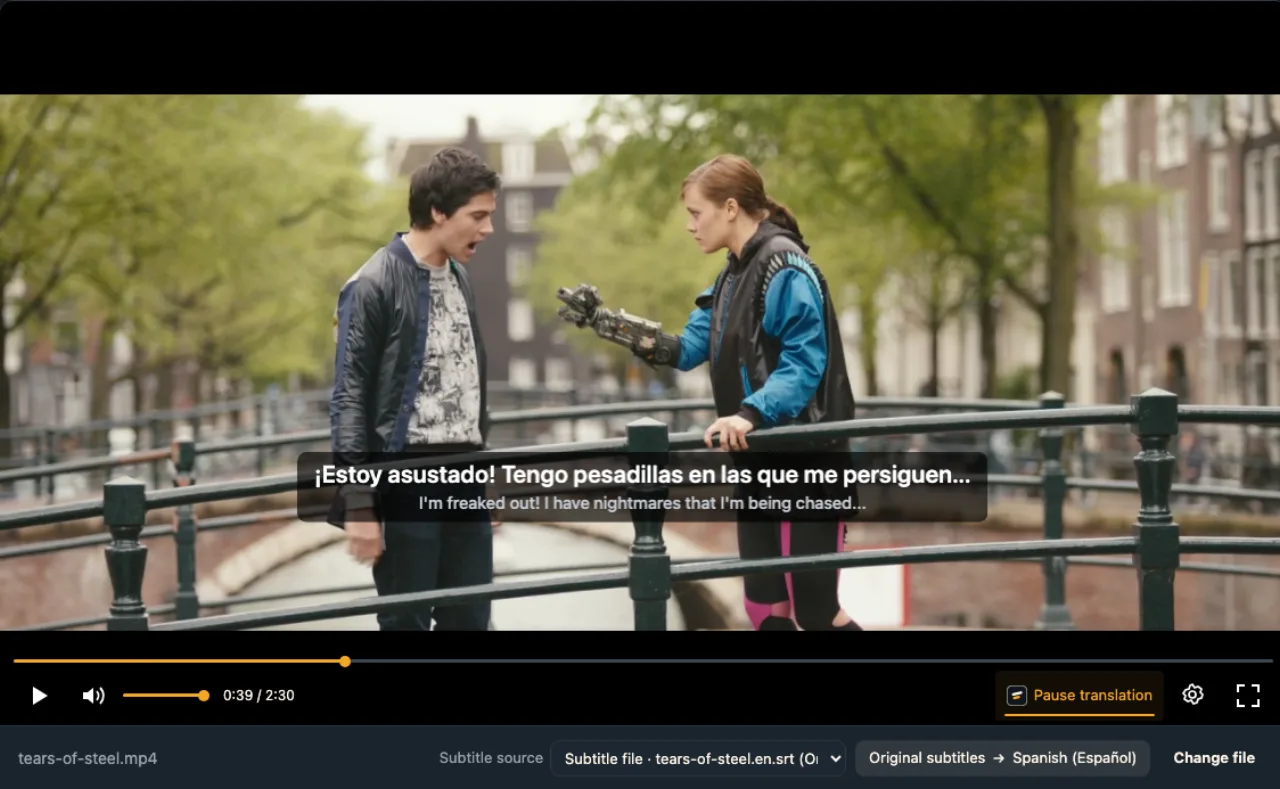
Three steps from a foreign SRT to subtitles you can read
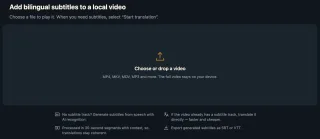
Open the video and the subtitle file
Drop both into the local player at once, or open the video first and add the file with Load subtitle file….
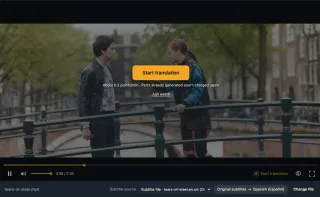
Check Subtitle source
It now reads Subtitle file and the file's name; that file is what gets translated.
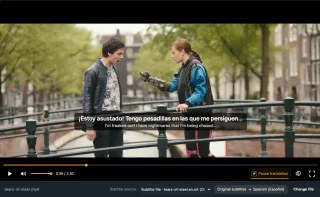
Start translation and play
Your language appears on the file's own timing, with the original line kept below.
Why translate the file inside the player
Text, not audio
0.2 credits a minute to translate the lines, against 1 to recognise speech.
The file's timing
Each translated line appears exactly when the original would.
Both lines on screen
Your language on top, the original underneath for names and new words.
When the only subtitles you can find are foreign
Old or rare films
Subtitles exist, just not in yours.
New episodes
Fan subtitles arrive in one language first.
Anime in ASS
Styled releases with English lines.
Course videos
A VTT caption file next to the MP4.
Festival screeners
One English SRT for every country.
Language learning
Keep the original line, add your own.
Why not translate the SRT and load it back?
You can paste the SRT into a translator or open it in Subtitle Edit, save a new file and load that into VLC. It works, but it takes a few tools, line breaks often go wrong, and you get one language instead of two. If you just want to watch, translating in the player is quicker.
| Task | Translate the file first | WatchTranslate local player |
|---|---|---|
| Translate the lines | Paste into a translator or editor | Pick your language |
| Keep the timing | Check the new file still lines up | Uses the file's own timing |
| See the original too | Merge two files yourself | Bilingual display built in |
| Keep a file | The file you saved | Export SRT or VTT |
The text is translated; ASS styling and positions are not kept.
What we tried
On a computer with the live web local player in Chrome: an MP4 of Tears of Steel plus the film's official English SRT, opened together. Tears of Steel © Blender Foundation | mango.blender.org, CC BY 3.0.
- Works
MP4 + English SRT · about 1.8 s
Subtitle source switched to Subtitle file · tears-of-steel.en.srt on its own; we translated it into Spanish and the first line appeared about 1.8 s after Start translation.
Tested 14 Nov 2026 · web local player · Chrome · live service
Drop the video and its subtitle file into the local player together.
In detail
Which subtitle files work
| File | Works | Use instead |
|---|---|---|
| Text subtitle files | SRT, VTT, ASS, SSA (up to 8 MB) | — |
| Older encodings | UTF-8, GB18030, Big5, Shift_JIS, EUC-KR, Windows-1251, Windows-1252 | — |
| Image subtitles (SUB/IDX, SUP) | Not text, nothing to read | AI recognition |
| A track inside the MKV or MP4 | Choose Embedded subtitles | — |
A subtitle file is already the hard part done
An SRT, VTT or ASS file holds every line with its start and end time. Someone has already written down what is said and timed it, so the player only has to translate the text. That is faster than recognising speech, cheaper, and usually more accurate, because a person wrote the lines. When you load the file, the player lists it under Subtitle source and uses it instead of the audio.
Pick a file made for your copy
Subtitles are timed for one release of a film. If yours is a different cut or frame rate, the lines can run early or late, and translation keeps that timing. Choose a file whose name matches your release, or try another one from the same source.
Where the source language comes from
A language code in the file name, such as movie.en.srt, is used as the source language; otherwise it is detected from the text. Odd characters usually mean an unusual encoding: save the file as UTF-8 and load it again.
Switching files means starting again
Loading another subtitle file, or switching to Embedded subtitles or AI recognition, pauses the translation; press Start translation again. Subtitle files belong to the video they were loaded with; open a different video and you add its own file.
How a subtitle file gets translated
Why is it quick?
There is no speech to recognise, only existing lines to translate, so the first one usually lands in a second or two.
What gets sent?
Only the subtitle text to translate; the video stays on your computer.
How do names stay consistent?
Each line is translated with its neighbours in view, so names and forms of address hold steady.
Getting the most from a subtitle file
Prefer a human-made file
It beats recognising speech, and costs a fifth as much.
Match the release
Same cut, same timing.
Keep the original line
Bilingual display helps with names and slang.
Export when done
Save the translation as SRT for any other player.
About translating subtitle files
Can I translate an English SRT into my language while the movie plays?
Yes. Open the video and the SRT together in the local player, choose your language and press Start translation; each line is translated as it comes up.
Which subtitle formats can I load?
SRT, VTT, ASS and SSA text files up to 8 MB. Image subtitles (SUB/IDX, SUP) have no text, so use AI recognition for those.
Do I have to translate the SRT before loading it?
No, load the original file; the player translates it while you watch, and you can export the result as SRT or VTT afterwards.
Is my video uploaded?
No. Only the subtitle text is sent for translation; the video plays from your computer.
What does it cost?
0.2 credits a minute, the same as translating an embedded track; AI recognition is 1 credit a minute. New accounts get 20 minutes free.
The subtitles are out of sync. Why?
The file was timed for a different release. Find one that matches your copy; translation keeps whatever timing the file has.
The text shows strange characters. What now?
The file uses an encoding the player couldn't recognise. Re-save it as UTF-8 and load it again.
Is ASS styling kept?
No, the text is translated and shown in the player's caption style; positions and effects are not kept.
How is this different from Subtitle Edit?
In Subtitle Edit you translate the file, usually with your own translation service key, and save a new one to load into a player. Here you skip that: the original file plays with both languages on screen, and saving a file is optional.
One tool to understand foreign-language videos on many sites
Translates as you watch, wherever you are in the video
Jump anywhere and it translates there — no need to translate the whole video first.
Translate videos on YouTube, X, Bilibili and more
Translate existing subtitles directly, or generate bilingual subtitles when there are none.
Better translation quality than traditional machine or real-time translation
AI language models use context and connect the surrounding dialogue to understand meaning.
Export subtitles as SRT / VTT files
Download generated subtitles as original, translated, or bilingual text and load them in common players.
Already translated by someone? Watch it free
Sign up free to reuse generated subtitles for the same video, subtitle source and languages, even after your credits run out.
Bilingual subtitles on your phone
Play video files on your phone, or open a video site in the app's built-in browser and tap Translate. A native player handles more video formats than the web player.
Keep reading
Related questions
- Translate embedded subtitlesWhen the track is inside the MKV
- How to add subtitles to a videoAttach or create a subtitle file
- Local video with no subtitlesWhen no file exists
More: All guides · Local player
Also in: 简体中文 · 繁體中文 · 日本語 · 한국어 · Español · Deutsch · Français · Português · Italiano · العربية · Polski · Nederlands · Türkçe · Bahasa Indonesia · Tiếng Việt · Русский · हिन्दी