
How do I generate subtitles automatically?
Automatic subtitles come from speech recognition: the audio is written down as timed lines, so no subtitle file is needed. Open a file in the WatchTranslate local player, or a web video with the extension, choose audio recognition and press Start translation.
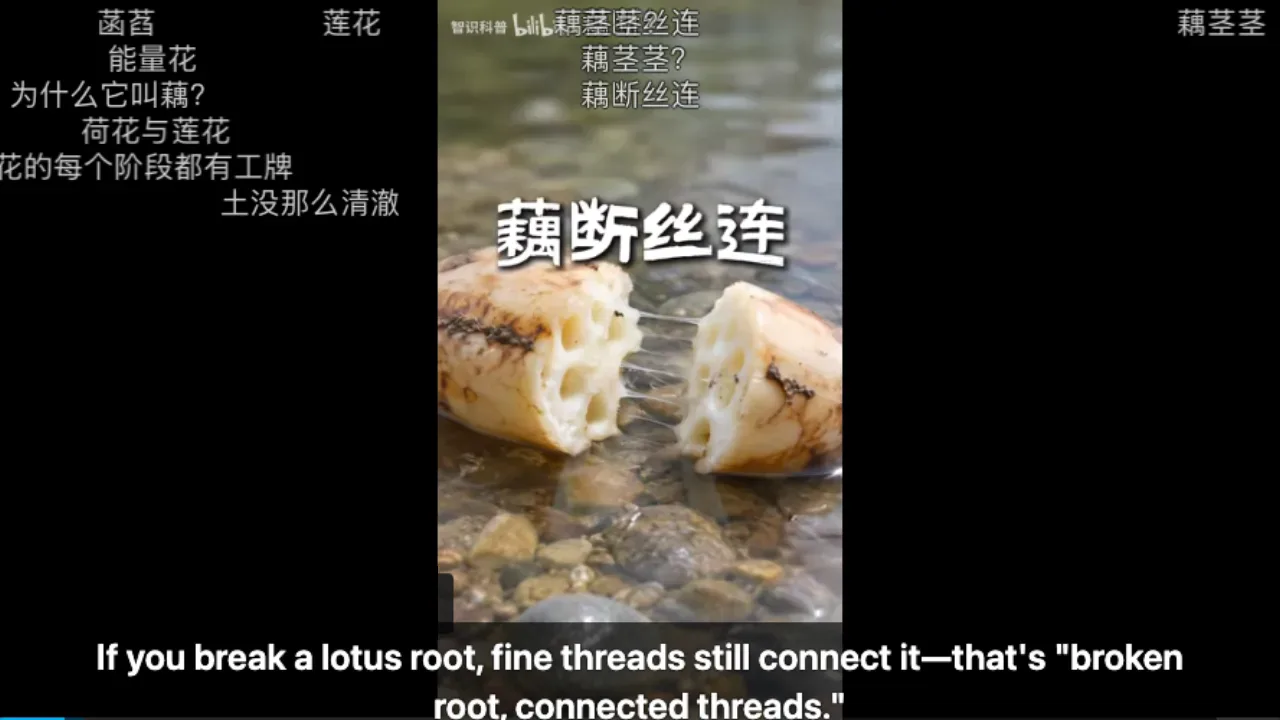
Three steps to subtitles from speech
Pick where the video is
A file on your computer: open the local player in your browser. A video on YouTube, X or Bilibili: add the extension.
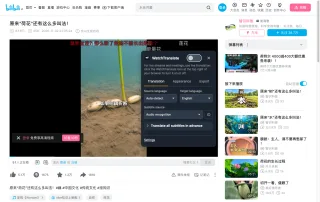
Choose audio recognition
Set Subtitle source to Audio recognition and Target language to yours. Source language can stay on Auto-detect.
 WTIf you break a lotus root, fine threads still connect it.
Start translation and play
Lines appear a few seconds after you start and keep pace with playback; after a skip they pick up where you land.
What automatic generation gives you
Subtitles with no file at all
When a video has no track and no SRT exists, the speech itself becomes the subtitle.
Original and translation together
The recognised line can stay on screen under its translation, or be shown alone.
Timed text you can keep
Export what was generated as SRT or VTT, with timestamps, for editing or another player.
Videos people generate subtitles for
Downloaded films and episodes
Files on your computer that came without a subtitle file.
Your own recordings
Talks, classes and meetings you recorded yourself.
YouTube videos without CC
Fresh uploads and older videos with no caption track.
Narrated Bilibili uploads
Chinese explainers where the meaning is in the narration.
News clips on X
Short clips posted with sound only.
Language practice
Same-language subtitles to read along with what you hear.
When is a subtitle file still better?
If an official subtitle file matches your copy, it has exact timing and speaker labels. Generate subtitles when that file doesn't exist or doesn't match.
| Your situation | Usual way | With WatchTranslate |
|---|---|---|
| An official file matches | Load the file | Not needed |
| No file exists | Type it yourself or go without | Generated from the speech as you watch |
| A file in another language | Search for a translated one | Translate the existing text instead, cheaper |
| Need a file afterwards | Transcribe by hand | Export SRT or VTT of what was generated |
Generating from audio costs 1 credit a minute; translating existing subtitles costs 0.2.
What we tried
On a computer with the live extension, signed out of each site, Subtitle source set to audio recognition.
- Works
Chinese science short on Bilibili · about 4 s
No subtitles at all; English generated from the Mandarin narration.
- Works
Japanese street interview on YouTube · about 10 s
No caption track; the Japanese speech was written down and translated to English.
Tested 8–9 Nov 2026 · extension 0.5.732 / 0.5.737 · Chrome · signed out
Open your file in the local player, or the web video with the extension, and choose audio recognition.
In detail
Where to generate subtitles
| Where the video is | Use | Worth knowing |
|---|---|---|
| MP4 or MKV on your computer | Local player in the browser | The file is never uploaded as a whole |
| Formats a browser can't play | Windows or Mac desktop app | Plays MKV, AVI, HEVC and more |
| YouTube, X, Bilibili | Browser extension | Works on the site's own player |
| Video on an Android phone | WatchTranslate app | Files on the phone |
What automatic subtitle generation is
Generating subtitles automatically means turning a video's speech into timed text without typing it. Speech recognition listens to the audio and writes each sentence with its start and end time; together those lines are a subtitle track. A translation step can then turn each line into another language. It is the only option when no subtitle file exists, and for clear speech it is good enough to watch with.
For files on your computer
Open the local player in your browser, sign in and drop the video in. Choose audio recognition and your target language, press Start translation and play. The audio is processed about 30 seconds at a time; the video file itself is never uploaded as a whole.
For web video
With the extension in Chrome or Edge, open the video on YouTube, X or Bilibili, click WT, choose audio recognition and press Start translation. The subtitles appear on the site's own player.
What affects accuracy
Clear speech from one person works best. Loud music, strong accents or several voices at once lower accuracy; that is a limit of transcription, not of translation. The original audio keeps playing, so you can hear what was said.
From sound to subtitle lines
How long until the first line?
Usually a few seconds. The stretch you are watching and the next one are processed first; after you skip, work starts from where you land.
How is the language detected?
On Auto-detect, each stretch of about 30 seconds is recognised and its language identified. If a speaker switches languages, set the main one yourself.
What does it cost?
Audio recognition is 1 credit a minute, including stretches with no speech; failed windows and completely silent stretches are not charged. New accounts get 20 free minutes.
What YouTube says about its own automatic captions
From the YouTube Help Center, checked signed out of YouTube on .
YouTube also generates captions by speech recognition, but not for every video: processing, length, language, a silent start, poor sound or overlapping speakers can prevent them.
support.google.com/youtube/answer/6373554
Get clean automatic subtitles
Start where someone speaks
Skip a music intro, then start; the first line comes sooner.
Name the language for mixed speech
Set the source language when speakers switch.
Keep the original line visible
Check names and numbers against what was heard.
Prepare long files in advance
For a feature film, prepare the whole file, then export once.
About generating subtitles automatically
Can subtitles be generated with no subtitle file?
Yes. That is what speech recognition does: the audio becomes timed text, which becomes the subtitle track.
Is it accurate enough to watch?
For clear speech, usually yes. Noisy audio, music or overlapping voices lower accuracy, and the original audio keeps playing.
Does it work for local files?
Yes. The local player generates and translates subtitles for files on your computer, without uploading the whole video.
How long until the first line?
A few seconds; about 4 on Bilibili and 10 on a YouTube street interview in our tests.
Can I export the generated subtitles?
Yes, as SRT or VTT: original, translation or both.
Which languages can it recognise?
The 74 subtitle languages, with automatic detection or a language you choose.
Does it cost anything?
New accounts get 20 free minutes. After that, about 1 credit a minute for subtitles generated from audio.
Does it work on a phone?
On Android, the WatchTranslate app handles files on the phone.
Is the video uploaded?
No. Audio is processed in stretches of about 30 seconds as you watch.
One tool to understand foreign-language videos on many sites
Translates as you watch, wherever you are in the video
Jump anywhere and it translates there — no need to translate the whole video first.
Translate videos on YouTube, X, Bilibili and more
Translate existing subtitles directly, or generate bilingual subtitles when there are none.
Better translation quality than traditional machine or real-time translation
AI language models use context and connect the surrounding dialogue to understand meaning.
Export subtitles as SRT / VTT files
Download generated subtitles as original, translated, or bilingual text and load them in common players.
Already translated by someone? Watch it free
Sign up free to reuse generated subtitles for the same video, subtitle source and languages, even after your credits run out.
Bilingual subtitles on your phone
Play video files on your phone, or open a video site in the app's built-in browser and tap Translate. A native player handles more video formats than the web player.
Keep reading
Related questions
- YouTube video has no subtitlesThe YouTube case
- Local video with no subtitlesFiles on your computer
- Export SRT or VTTKeep the generated lines
Choosing a tool
More: All guides · Supported sites
Also in: 简体中文 · 繁體中文 · 日本語 · 한국어 · Español · Deutsch · Français · Português · Italiano · العربية · Polski · Nederlands · Türkçe · Bahasa Indonesia · Tiếng Việt · Русский · हिन्दी