
How do I translate YouTube Shorts to English?
Open the Short on youtube.com in Chrome or Edge with WatchTranslate added, then click WT at the top right of the Shorts player and Start translation. English appears over the video with the original line below, written from the speech when the Short has no captions.
Watch on your phone
Scan to get the app


English subtitles on a Short in three steps
Add the extension
On a computer, add WatchTranslate to Chrome or Edge. It takes about half a minute.
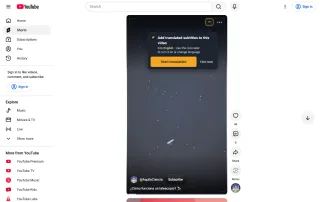
Open the Short
Open it on youtube.com, from the Shorts feed or a shared link. No YouTube sign-in needed.
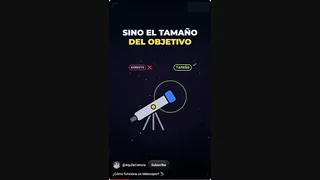 WTThen, a small lens, the eyepiece.
Click WT and start
WT sits at the top right of the Shorts player, next to YouTube's ⋯ menu. Choose English and press Start translation: the first line came within 5 seconds in our test.
What changes on the Short
English over the original voice
The speaker keeps their own voice; you read English on top and their sentence below.
No captions needed
Most Shorts have no caption track. Audio recognition writes the lines from what is said.
Next Short, same setting
Move on to another Short and the subtitles start again for it, with the language you chose.
Shorts people want in English
Science and how-to clips
Explainers in Spanish or Portuguese that pack a lot into a minute.
News clips
Short reports from Japanese, Korean or Arabic channels before an English version exists.
Recipes and travel
Local cooks and guides who talk fast over the footage.
Language practice
Short, repeatable clips with the original sentence under your English line.
Music and culture explainers
Short clips about a song, a festival or a custom, told by someone from that place.
Reviews and unboxings
Quick product takes from creators in markets you can't read yet.
Captions, auto-dub or subtitles in English?
YouTube has two ways a Short can reach you in English. Each has its place.
| Option | What you get on a Short | When it fits |
|---|---|---|
| YouTube captions | A caption track, if the creator or YouTube added one | The Short has captions in a language you read |
| YouTube auto-dub | A dubbed voice on some Shorts, chosen by YouTube | You'd rather listen than read |
| WatchTranslate | English subtitles with the original line, from the speech | No captions, or you want the speaker's own voice |
What we tried on YouTube Shorts
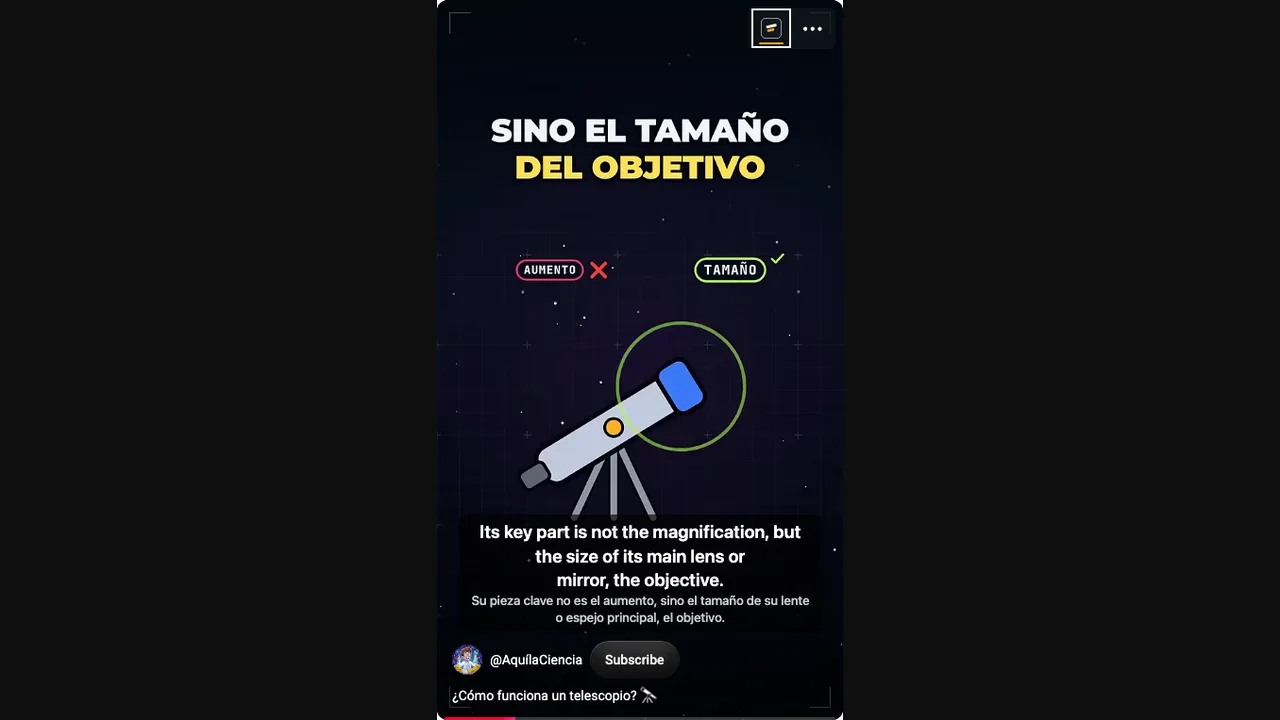
On a computer with the live extension, signed out of YouTube, on a Spanish science Short about how a telescope works.
- Works
Spanish science Short · English on top
Audio recognition wrote the Spanish speech down and translated it; the first English line came 4.7 seconds after start.
Tested 15 Nov 2026 · extension 0.5.826 · Chrome · signed out of YouTube
Watch on your phone
Scan to get the app
Then open a Short on youtube.com and click WT on the player.
In detail
Which Short needs which setting
| The Short | Subtitle source | What you see |
|---|---|---|
| Someone talking, no captions | Audio recognition | English from the speech, the original sentence below |
| Captions in the spoken language | Video subtitles | That caption track translated, keeping its timing |
| Auto-dubbed into English | Original audio track first | Subtitles that match the speaker, not the dub |
Shorts are YouTube videos in a tall player
A Short has the same video ID as its normal watch page, so WatchTranslate treats them as one video: subtitles made on the Short are ready again if you open it as a regular video, and the other way round.
Auto-dubbed Shorts
Some Shorts play a voice YouTube dubbed into your interface language, marked Auto-dubbed. Subtitles follow the audio that plays, so for the speaker's own words, play the original track.
Shorts with captions
When a Short has a caption track in its spoken language, WatchTranslate can translate that track instead of listening.
What happens after you click WT on a Short
It listens in stretches
The audio is handled about 30 seconds at a time, so a one-minute Short is two stretches: the first lines come quickly, and the rest are ready before you reach them.
It translates in context
Each line is translated with the sentences around it in view, so a short clause still reads as part of the sentence.
It stays on the player
The lines sit inside the Shorts player above the channel name, and the WT button stays at the top right.
Tips for subtitling Shorts
Use a computer browser
WatchTranslate works on youtube.com in Chrome or Edge; the Shorts tab in the YouTube phone app is not covered.
Watch for Auto-dubbed
If the voice sounds dubbed, pick the original audio track first so the subtitles match the speaker.
Let the first line land
Start at the beginning of the Short; the first line takes a few seconds while the opening stretch is recognised.
YouTube Shorts translation questions
Can I translate YouTube Shorts to English?
Yes. On a computer, open the Short on youtube.com, click WT on the player and choose English.
Does it work on Shorts without captions?
Yes. Audio recognition writes subtitles from the speech, so the Short doesn't need a caption track.
Where is the WT button on a Short?
At the top right of the Shorts player, next to YouTube's ⋯ menu.
Does it work in the YouTube phone app?
No. It works on youtube.com in Chrome or Edge on a computer.
What about auto-dubbed Shorts?
Subtitles follow the audio that plays. Choose the original audio track to get the speaker's own words.
Can I keep the original line?
Yes. The original sentence shows under the English line by default.
Which languages can it translate from?
Spanish, Japanese, Korean, Portuguese, Arabic, Hindi and many more; the spoken language is detected for you.
Does it cost anything?
There are 20 free minutes with no card. After that, subtitles use points by the minute; a one-minute Short uses about a minute.
Do I need a YouTube account?
No. We tested signed out of YouTube.
One tool to understand foreign-language videos on many sites
Translates as you watch, wherever you are in the video
Jump anywhere and it translates there — no need to translate the whole video first.
Translate videos on YouTube, X, Bilibili and more
Translate existing subtitles directly, or generate bilingual subtitles when there are none.
Better translation quality than traditional machine or real-time translation
AI language models use context and connect the surrounding dialogue to understand meaning.
Export subtitles as SRT / VTT files
Download generated subtitles as original, translated, or bilingual text and load them in common players.
Already translated by someone? Watch it free
Sign up free to reuse generated subtitles for the same video, subtitle source and languages, even after your credits run out.
Bilingual subtitles on your phone
Play video files on your phone, or open a video site in the app's built-in browser and tap Translate. A native player handles more video formats than the web player.
Keep reading
Related questions
- YouTube video has no subtitlesNo CC? Create them from the audio
- YouTube dual subtitlesEnglish and the original together
- Export YouTube subtitles to SRT
More: All guides · Supported sites
Also in: 简体中文 · 繁體中文 · 日本語 · 한국어 · Deutsch · Français · Português · Italiano · العربية · Polski · Nederlands · Türkçe · ไทย · Bahasa Indonesia · Tiếng Việt