
Export YouTube subtitles to SRT, translated or bilingual
Click WT on the YouTube player and start: WatchTranslate translates the video's captions, or writes subtitles from the speech when there are none. Then open the Export tab, pick Bilingual, Original or Target only and SRT or WebVTT, and your browser saves the file.
Watch on your phone
Scan to get the app


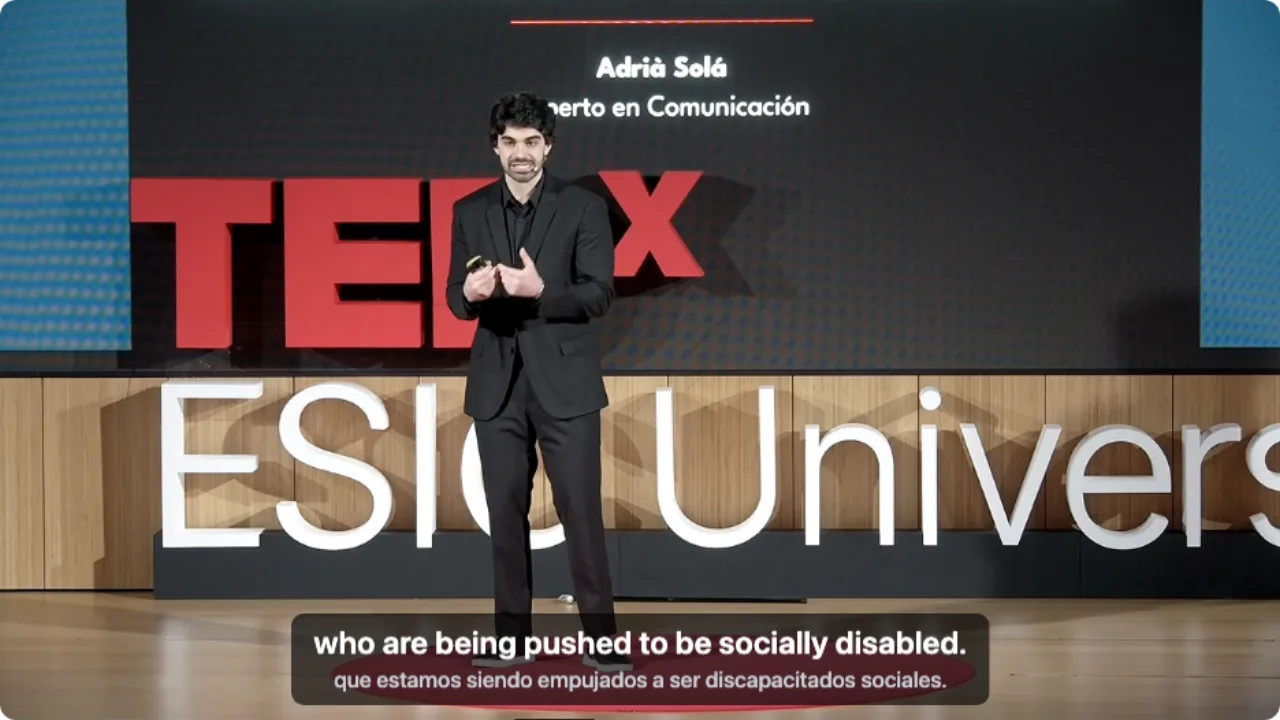
YouTube subtitles to an SRT file in three steps
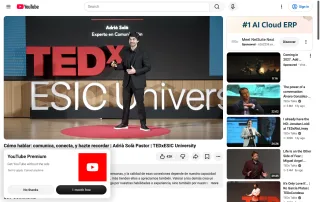
Open the video and click WT
Chrome or Edge on a computer with WatchTranslate added. You don't need to sign in to YouTube.
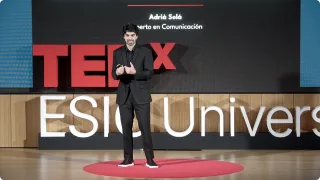 WTwho are being pushed to be socially disabled.
Start, and let it play
Pick your Target language and start. Lines appear as the video plays; for the whole video at once, click Translate all subtitles in advance.
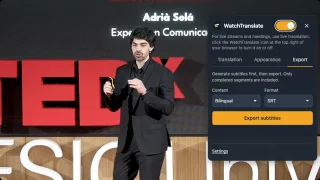
Open WT, then Export
Export is the third tab in the WT panel. Choose Content (Bilingual) and Format (SRT), then Export subtitles: the browser saves a .srt or .vtt file.
What the saved file gives you
SRT or WebVTT
Numbered cues with start and end times, for desktop players, subtitle editors and web players.
Your language next to the original
Bilingual writes the translated line and the line the speaker said into the same cue, one under the other.
Videos without captions too
When a video has no CC, Audio recognition writes the lines from the speech, and they export the same way.
Why people save YouTube subtitles as a file
Language study
Read a talk again line by line, with the Spanish or Japanese sentence beside its meaning.
Lecture notes
Keep what a class or tutorial said, with the minute it was said, to search later.
Quoting a talk
Copy an exact line and its time stamp into an essay, a post or a script.
Subtitle editing
Open the SRT in a subtitle editor to fix names or timing before you reuse it.
Sharing a translation
Send someone the English lines of a video in a language they don't speak.
Another player
Load the file in VLC next to a copy of the video you are allowed to keep.
Bilingual, Original or Target only
The Export tab's Content menu sets what goes into each cue. All three come from the lines you saw on the YouTube player.
| Export content | What each cue holds | Good for |
|---|---|---|
| Bilingual | Your language and the original sentence, one line each | Language study, checking a translation |
| Target only | Only your language | Reading along in another player, sharing |
| Original | Only the original, from the captions or the speech | A transcript of a video with no captions |
Checked with the Export tab on youtube.com in a computer browser, November 2026.
What we exported from YouTube
On a computer with the live extension, signed out of YouTube, on a Spanish TEDx talk with no captions turned on.
- Works
Spanish TEDx talk · bilingual SRT
Subtitle source was Audio recognition, target English; the first line came 2 seconds after start. Export with Bilingual and SRT saved a 34-cue file: every stretch of this talk the test account had subtitled so far, about 2.5 minutes.
Tested 15 Nov 2026 · extension 0.5.826 · Chrome · signed out of YouTube
Watch on your phone
Scan to get the app
Then open a YouTube video, start subtitles, and save them from the Export tab.
In detail
Cues from the SRT we saved
| Time | English line | Spanish line |
|---|---|---|
| 00:02:22,280 --> 00:02:26,159 | who are being pushed to be socially disabled. | que estamos siendo empujados a ser discapacitados sociales. |
| 00:02:30,080 --> 00:02:34,640 | Very well at home, I am very well alone, I don't need anything or anyone. | Muy bien en casa, soy muy bien solo, no necesito a nada ni a nadie. |
| 00:02:38,240 --> 00:02:42,040 | to remind you of a fundamental truth that we cannot deny: | recordaros una verdad fundamental que no podemos negar: |
What goes into an exported YouTube SRT
WatchTranslate does not fetch the caption file YouTube stores. It makes its own lines, by translating the captions the player shows or by recognising the speech, and the Export tab writes those lines to a file. The hint under the button lists the time ranges the file covers.
Covering a whole video
Click Translate all subtitles in advance in the WT panel and keep watching while the rest of the video is prepared; export when it is done and the file covers the whole video.
Auto-generated captions
When a video only has YouTube's automatic captions, WatchTranslate can translate those lines, or listen to the speech instead; either way the export holds the result you saw.
Text, not the video
Export saves a file of timed lines. The video itself stays on YouTube.
Where the exported lines come from
From YouTube's captions
When the video has captions in its own language, WatchTranslate reads the track your browser loads and translates each line, keeping its timing.
From the speech
With no captions, the audio is handled in stretches of about 30 seconds: recognised in its own language, then translated with the sentences around it in view.
What it costs
Exporting subtitles your own account generated is free. Parts someone else's viewing generated cost 0.1 points a minute, and the button shows the price before anything is charged.
Tips for a clean SRT from YouTube
Original audio, not a dub
If YouTube plays an auto-dubbed track, switch Audio track to the original first, so the file holds what the speaker said.
Same settings as you watched
The file follows the subtitle source and Target language that were on when the lines were made.
SRT for players, VTT for the web
Most desktop players and editors read SRT; WebVTT suits players on web pages.
YouTube subtitle export questions
Can I export YouTube subtitles to SRT?
Yes. Start subtitles on youtube.com with WatchTranslate, then open the Export tab and choose SRT or WebVTT.
Can I save translated YouTube subtitles?
Yes. Set the Target language, then export Target only for just the translation, or Bilingual for both lines.
What if the YouTube video has no captions?
Use Audio recognition: the lines are written from the speech, and you export them the same way.
Does it download YouTube's own caption file?
No. It exports the lines WatchTranslate made, translated from the captions or recognised from the speech.
Does it download the video?
No. Export saves a subtitle file of timed lines; the video stays on YouTube.
Why does my SRT not cover the whole video?
The file holds only the parts that already have subtitles. Use Translate all subtitles in advance, or play the rest, then export again.
Is exporting free?
Exporting subtitles your own account generated is free. Parts generated by someone else's viewing cost 0.1 points a minute, shown before you confirm.
Do I need a YouTube account?
No. We tested signed out of YouTube.
Which file should I pick, SRT or WebVTT?
SRT for desktop players such as VLC and most subtitle editors; WebVTT for HTML5 players on web pages.
One tool to understand foreign-language videos on many sites
Translates as you watch, wherever you are in the video
Jump anywhere and it translates there — no need to translate the whole video first.
Translate videos on YouTube, X, Bilibili and more
Translate existing subtitles directly, or generate bilingual subtitles when there are none.
Better translation quality than traditional machine or real-time translation
AI language models use context and connect the surrounding dialogue to understand meaning.
Export subtitles as SRT / VTT files
Download generated subtitles as original, translated, or bilingual text and load them in common players.
Already translated by someone? Watch it free
Sign up free to reuse generated subtitles for the same video, subtitle source and languages, even after your credits run out.
Bilingual subtitles on your phone
Play video files on your phone, or open a video site in the app's built-in browser and tap Translate. A native player handles more video formats than the web player.
Keep reading
Related questions
- YouTube dual subtitlesEnglish and the original together
- YouTube video has no subtitlesNo CC? Create them from the audio
- Export Bilibili subtitles to SRT
More: All guides · Supported sites
Also in: 简体中文 · 繁體中文 · 日本語 · 한국어 · Deutsch · Français · Português · Italiano · العربية · Polski · Nederlands · Türkçe · ไทย · Bahasa Indonesia · Tiếng Việt